Condition Nodes and Animation Interruption
In the Motion Planning system, all Motion Node types include an Interruptible setting that allows the motion driven by the node (character actions or prop motions) to be interrupted. However, this requires using one of the nodes from the Condition Node category in order to function.
- Create a project with a character, a trigger zone, and a prop.
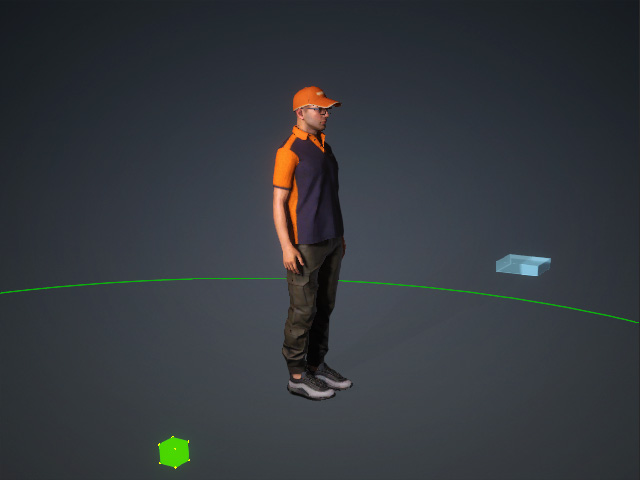
Note that the prop contains embedded animation.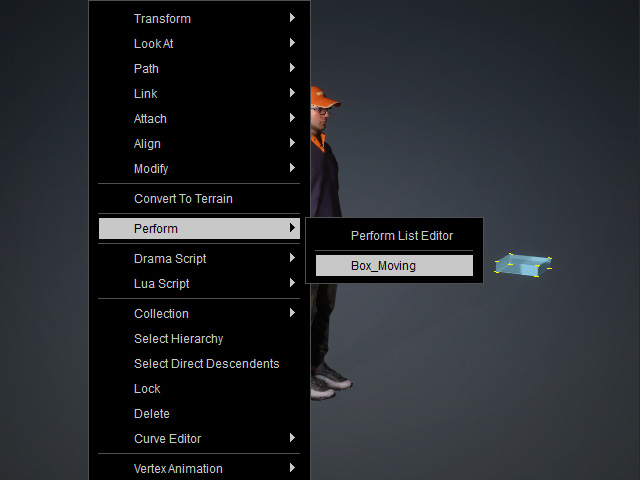
- Open the MP Node Graph panel and create a Prop node to drive the prop’s animation.
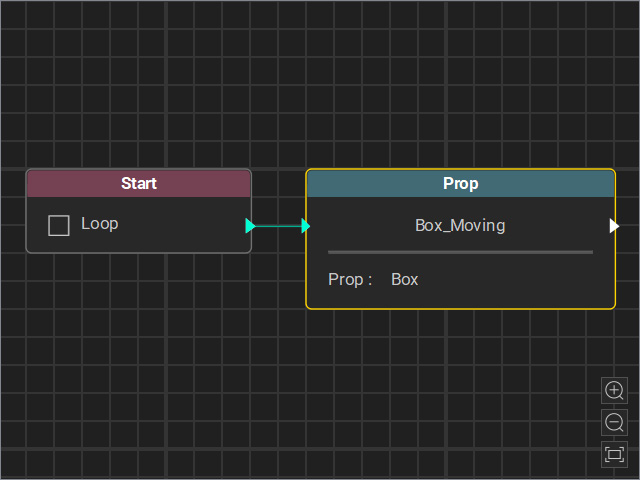
Start Go MD mode to view the animation result. - Create a new thread to trigger the character's motions.
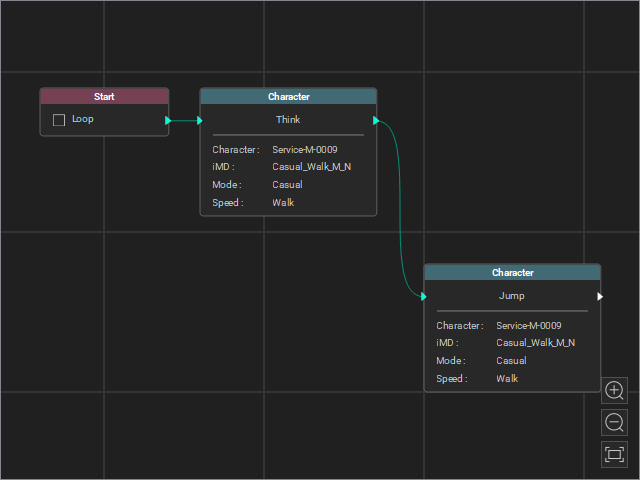
Start Go MD mode to view the animation result. - Insert a Check Zone condition node to detect whether the prop enters the trigger zone. Loop the node’s output back to the character’s start motion for continuous detection.
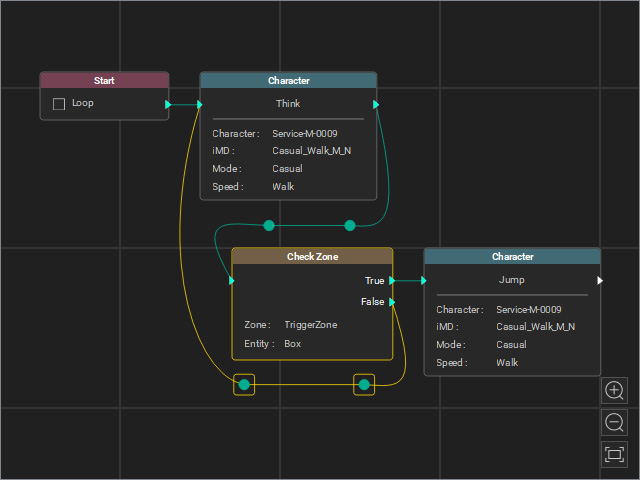
Note that the Interruptible checkbox of the first Character node before the Check Zone node is disabled.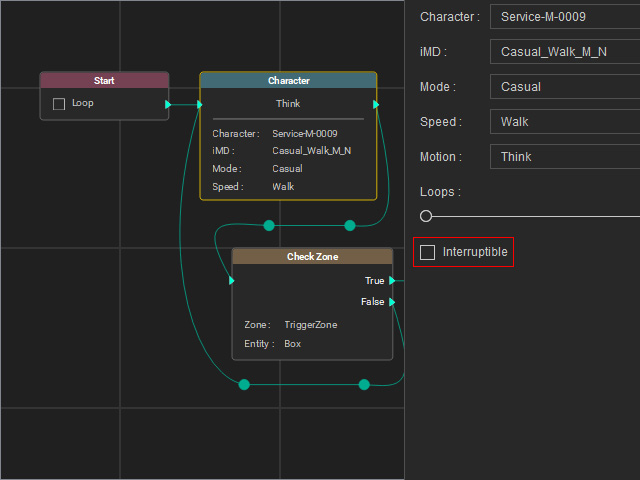
Start Go MD mode to view the animation result. As you can see, the character node completes its motion before the Check Zone node begins detection. - Enable the Interruptible checkbox of the Character node before the Check Zone node.
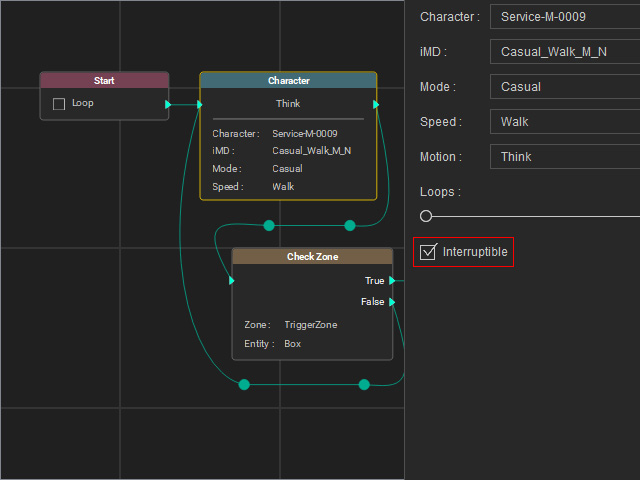
- Start Go MD mode to view the animation result. The Check Zone node interrupts the first character’s motion and transitions to the Character node connected to the True output.
