Switching Boolean Parameter Value During a Go MD Session
All Boolean parameters on the Parameters page can be modified by the Set Boolean Node during a Go MD session. When combined with a Loop, this allows the flow to alternate between True and False events.
Single Character
Take the project in the Using Check Boolean Nodes section as an example.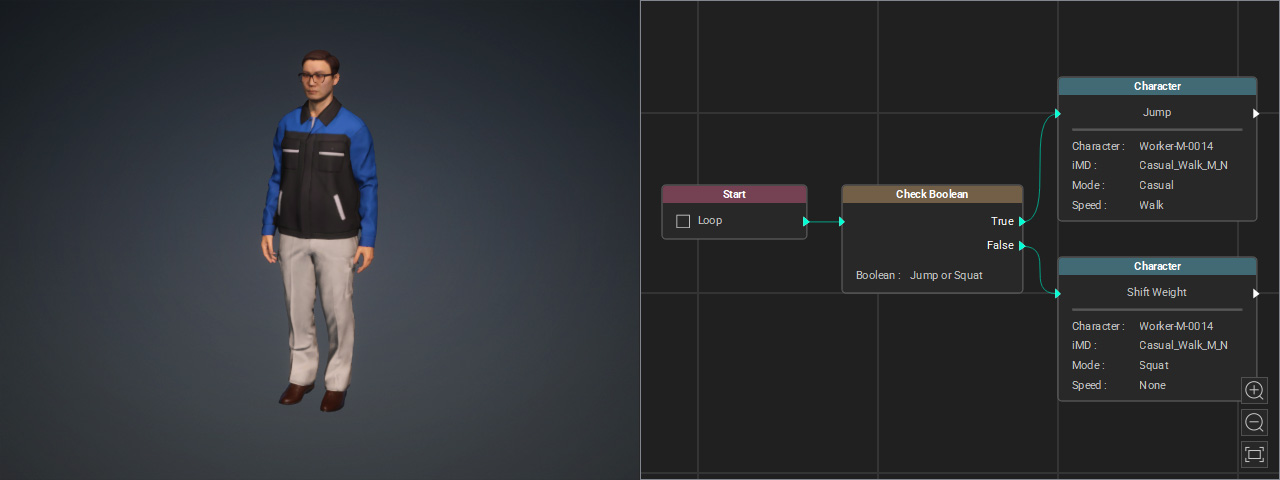
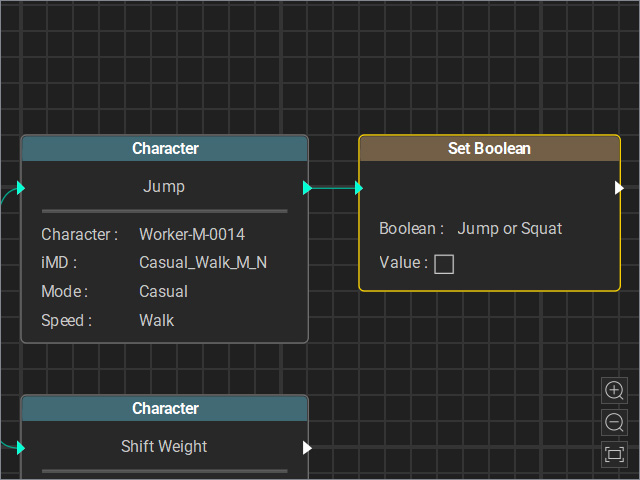
- Connect a Set Boolean node to the output of the True event. Set the boolean value to False.
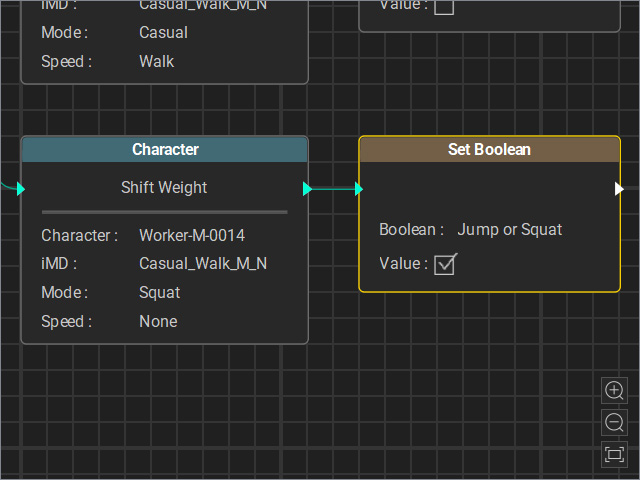
- Connect a Set Boolean node to the output of the False event. Set the boolean value to True.
- Activate the Loop feature of the Start node.
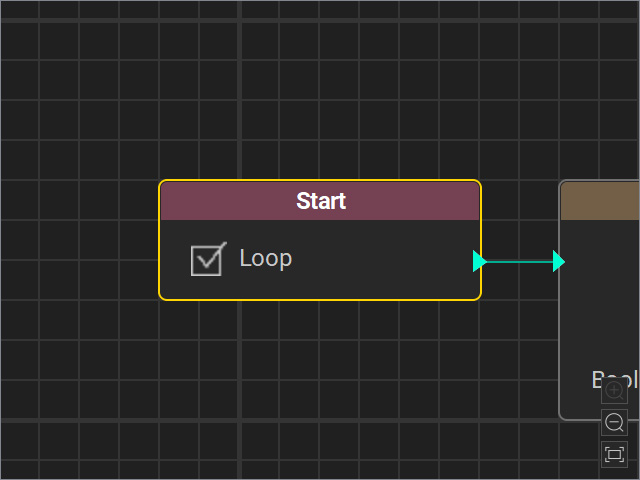
- Start the Go MD mode. As you can see, in the Go MD session. the True and False event appears in turn.
Multiple Character
In the following example, the waiter starts by doing his own work (Idle). When a customer enters, takes a seat, and calls the waiter, the waiter walks to the table to take the order. After the order is taken, the waiter goes to pick up the food and serves it at the customer’s table. The customer begins eating, and the waiter returns to his own work (Idle).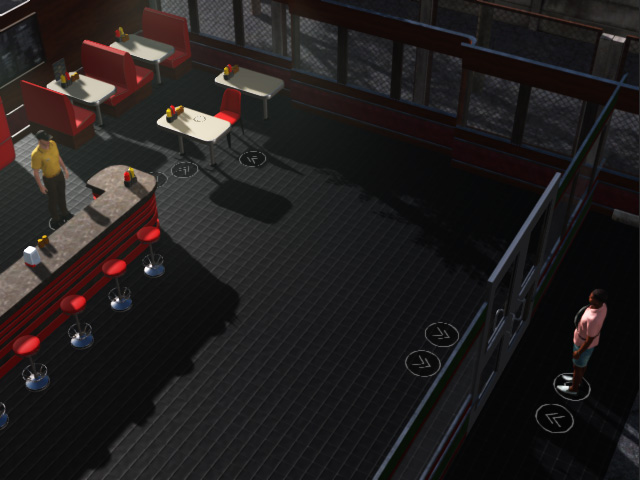
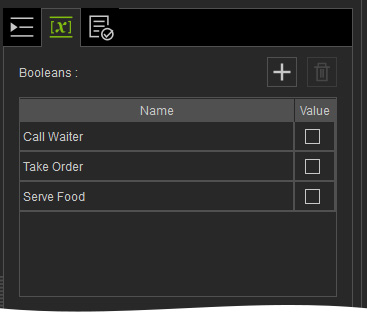
- The required Boolean variables are Call Waiter, Take Order, and Serve Food, all set to False.
- The graph for the customer:
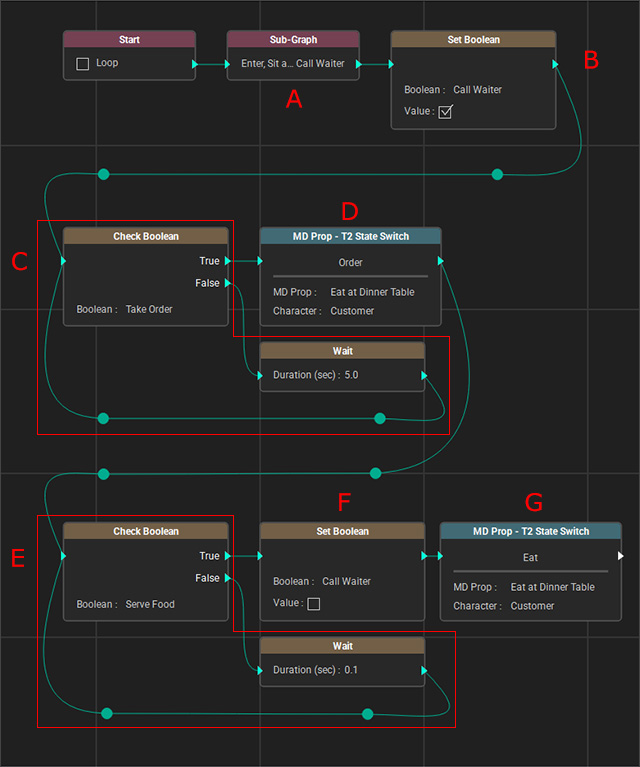
- The sub-graph drives the customer to walk in, sit down, and call the waiter.
- Set the Call Waiter variable to True, which interrupts the waiter’s idle motion and causes the waiter to walk to the table.
- Check the Take Order Boolean value (initially set to False). If it is False, the customer waits for 5 seconds.
- When Take Order is set to True, the customer performs the ordering motion.
- After the ordering motion finishes, check the Serve Food Boolean value (initially set to False). If it is False, the customer waits for 0.1 seconds.
- When Serve Food is set to True, set Call Waiter to False.
- The customer then performs the eating motion.
- The graph for the waiter:
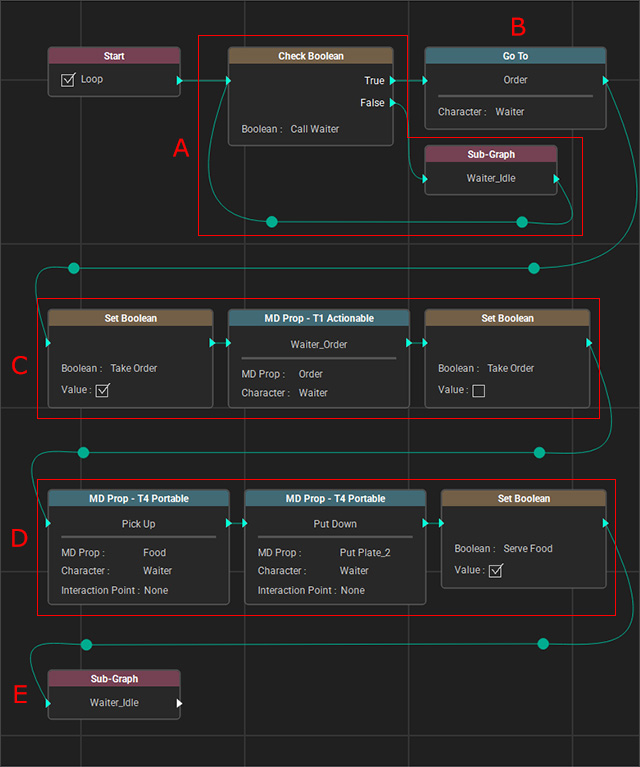
- Check the Call Waiter Boolean value (initially set to False). If it is False, the waiter performs idle motions.
- When Call Waiter is set to True, the waiter walks to the table.
- Set Take Order to True and have the waiter perform the take-order motion. When the motion finishes, set Take Order back to False.
- The waiter goes to get the meal and places it on the customer’s table, then sets Serve Food to True.
- The waiter returns to the idle motion.
Start the Go MD mode to view the animation result:
