Generating Tongue Animation with AccuLips
AccuLips generates tongue, lips, and jaw animation from speech audio. When used with AccuFACE 2, the captured lip and jaw motion is already highly accurate. The Tongue Only option prevents AccuLips from overriding these facial motions by applying only tongue animation while preserving the original AccuFACE 2 tracking data.
 Note:
Note:
Tongue Only is also available in AccuFACE 1. However, this workflow is recommended only for AccuFACE 2.
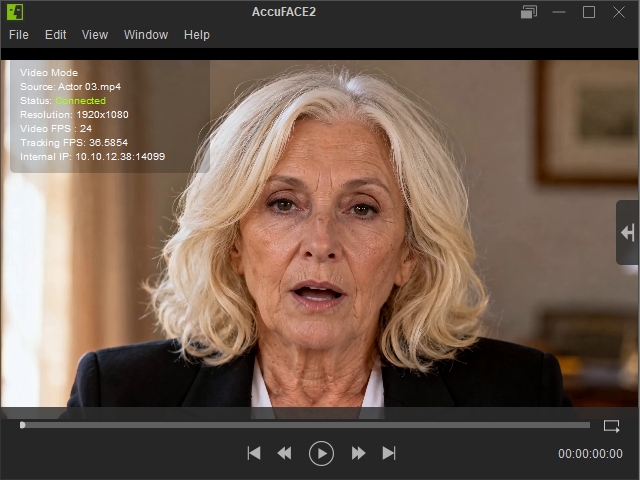
- Import the Video into AccuFACE 2.
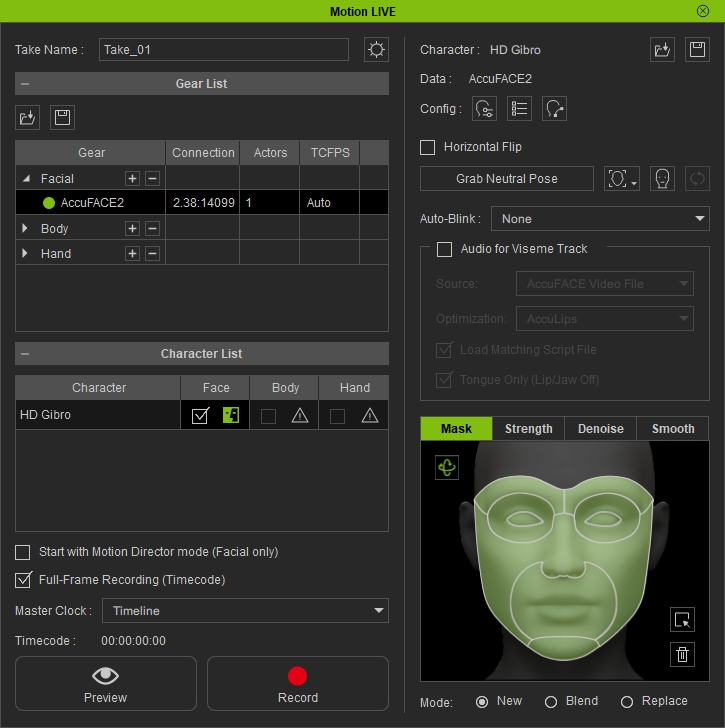
- After you’ve linked AccuFACE 2 with Motion LIVE, navigate to Motion LIVE in iClone.
- Enable Audio for Viseme Track.
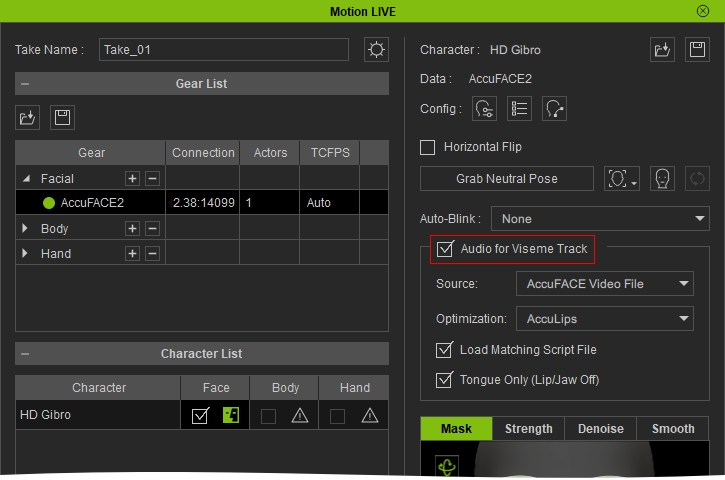
- Set Optimization to AccuLips.
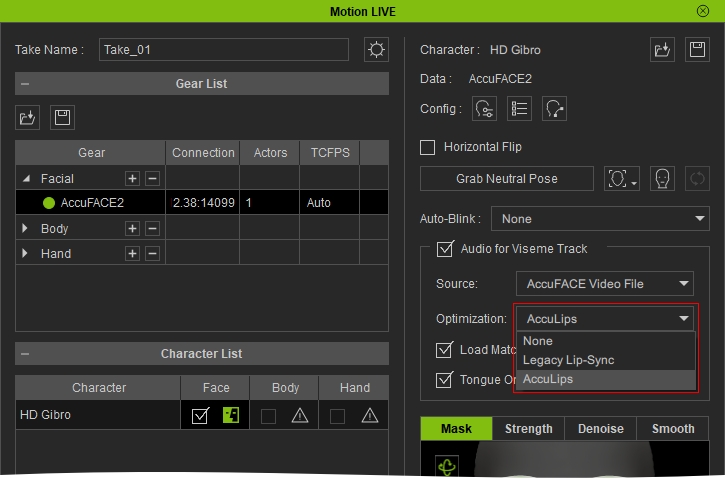 Note:
Note:Enable Load Matching Script File for better lip-sync if a matching script is available.
- Enable the Tongue Only option. This option is enabled by default in AccuFACE 2 workflow.
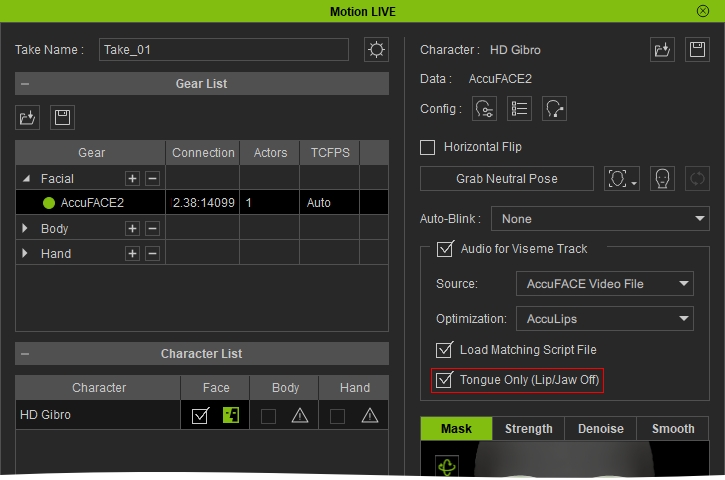
- Click the Record button and press the SpaceBar to start recording.

- Before and After.
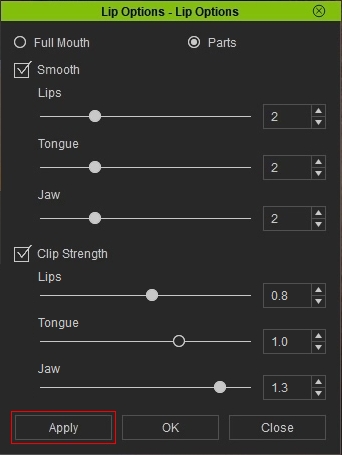
- When Tongue Only is enabled, the Lips and Jaw clip strengths in Lip Options are automatically set to 0, preventing viseme-generated lip and jaw animation from being combined with the facial mocap result.
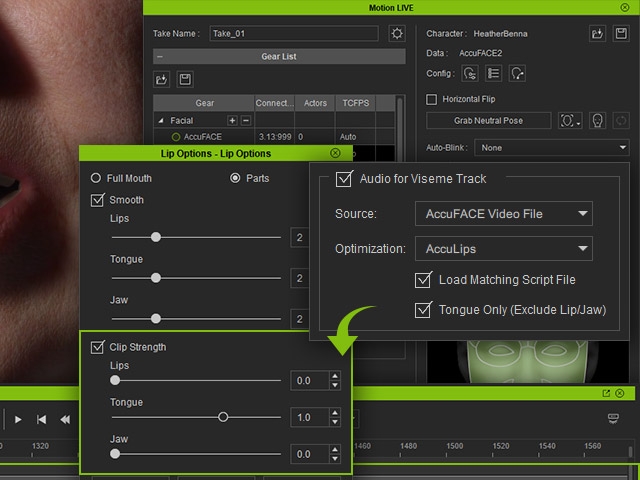
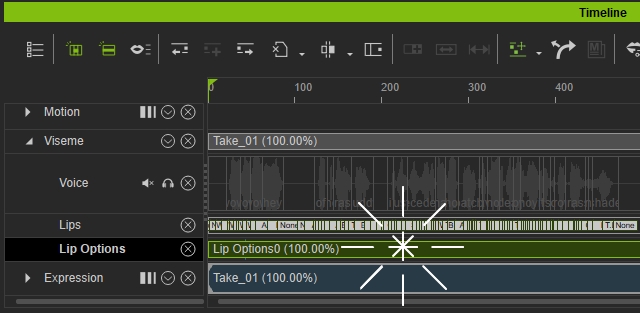
- To restore or adjust the Lips and Jaw clip strengths after recording, double click the clip in Viseme > Lip options in the timeline to open the Lip option panel.
- Adjust the Lips and Jaw sliders to the desired values above 0.
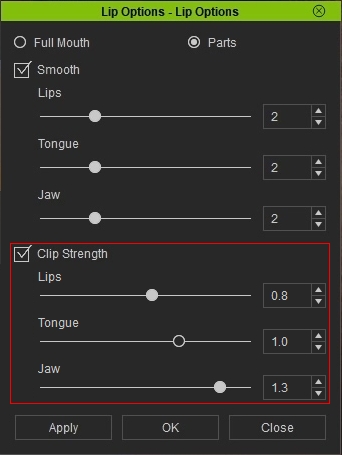
- Click Apply.