Loading Matching Script File Workflow (New for v 1.1)
In VIDEO mode, if you have AccuLips selected, enabling the Load Matching Script File option allows Motion LIVE to access and load the corresponding text file (.txt) from the same folder where you imported the video in AccuFACE. This feature enhances the accuracy of your character's lip-syncing during speech.
-
Before importing the video into AccuFACE, make sure you have the corresponding text file with the same name as the video and placed within the same location.
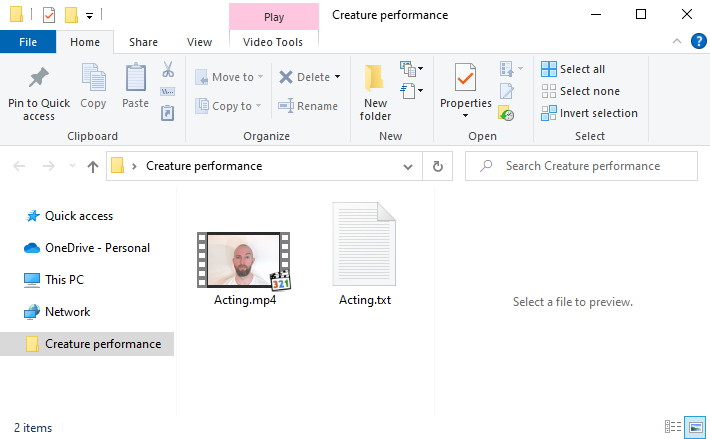
- Import the Video into AccuFACE.
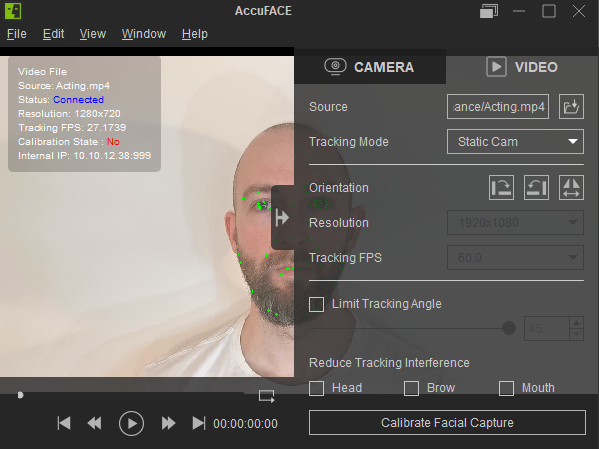
- After you’ve linked AccuFACE with Motion LIVE and calibrated your expressions, navigate to Motion LIVE in iClone.
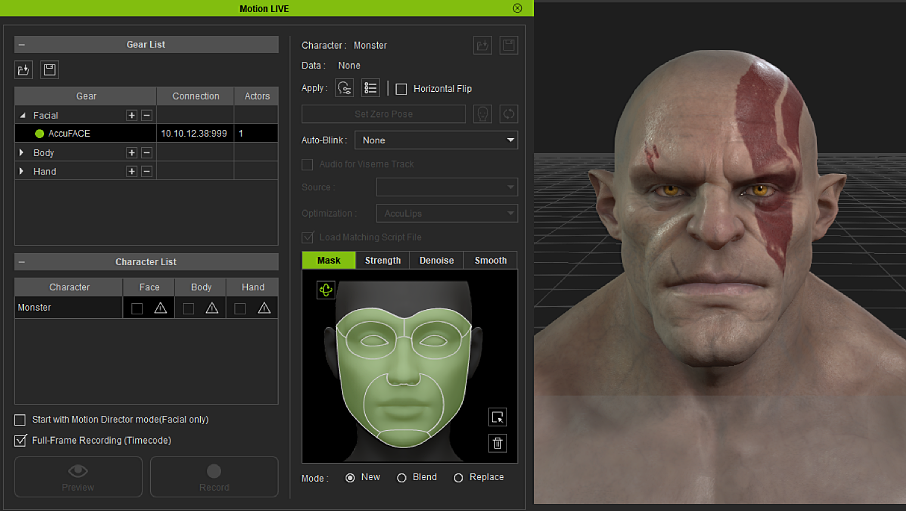
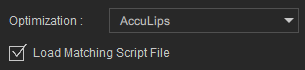
- In Optimization select AccuLips and activate the Load Matching Script File.
- Click the Record button and press the SpaceBar to start recording.

 Note:
Note:After activating Load Matching Script File, ensure that the video plays continuously from start to finish during recording. Pausing the video mid-recording will cancel the use of the text file for the entire video.
