Using 3D Assets — Props and Scenes
With an AI Service subscription, AI Studio offers a wide selection of directly applicable props and scenes, enabling consistent backgrounds through the use of 3D environments, such as architecture, interiors, and furnishings, as references for AI image and video generation.
Accessing Content
Open the Smart Search panel and select the AI Studio tab.
Props and Scenes content can be accessed under  Props > Interior & Furnishings Library, with tabs to switch between Item View and Pack View.
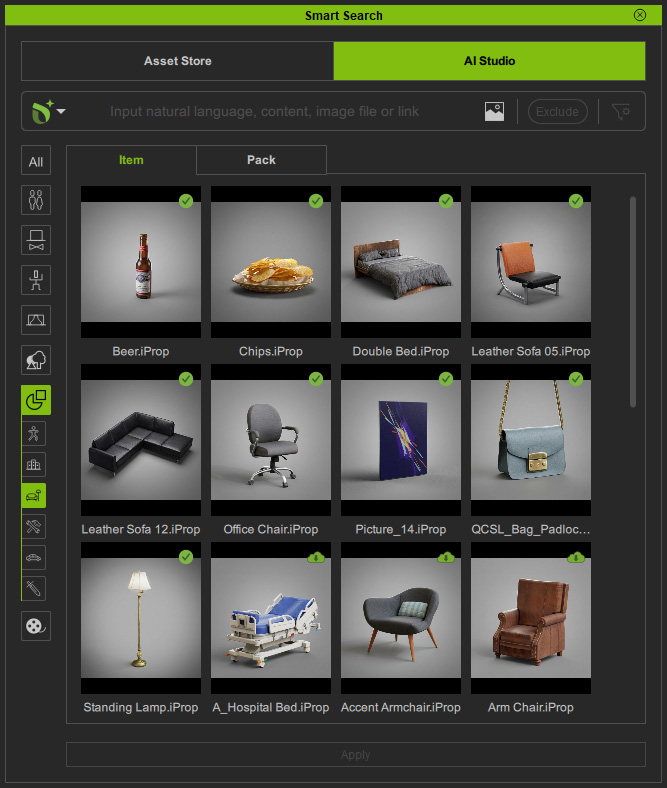 | 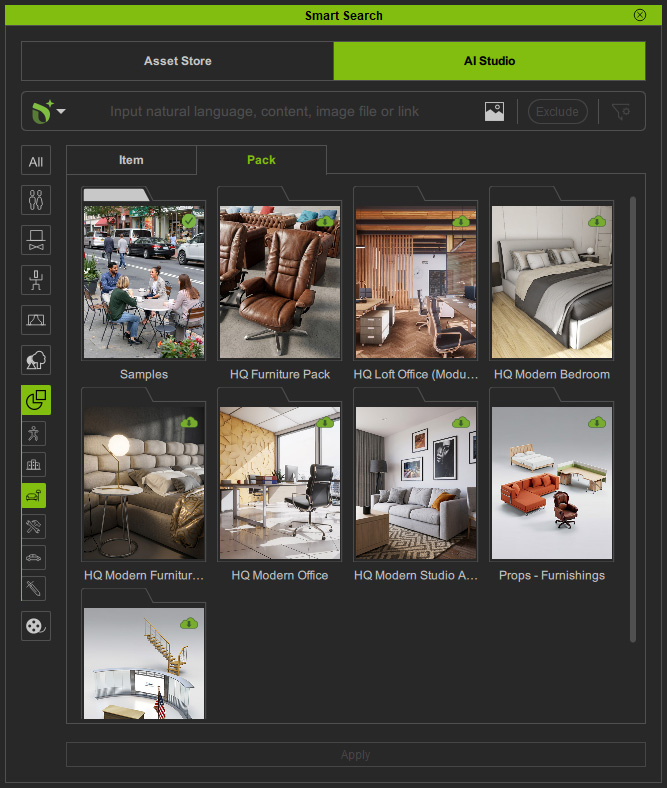 |
| Item View | Pack View |
 Free Samples
If you are not subscribed to an AI service, free props and scenes are also available in the Samples content pack.
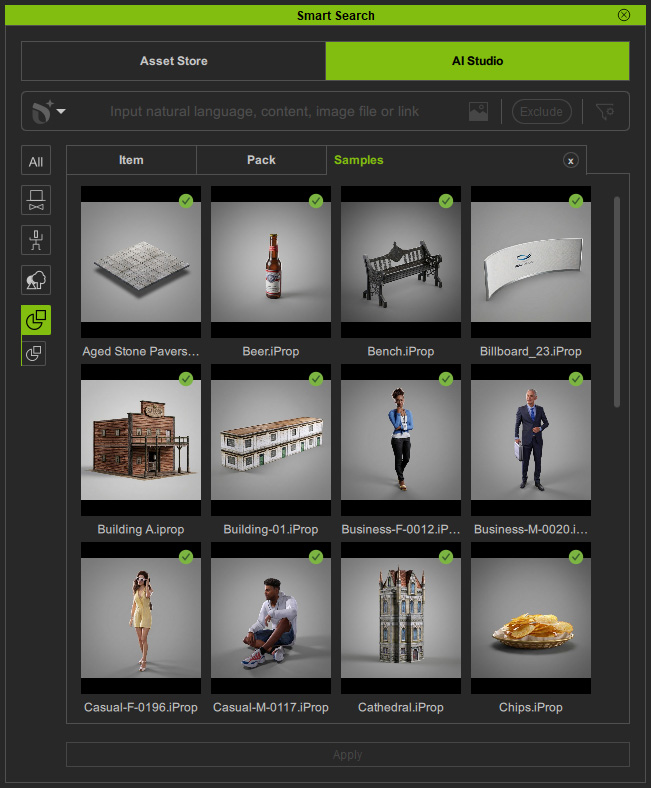
Searching Content
Use Deep Search or Keyword Search to find the desired furnishing props.
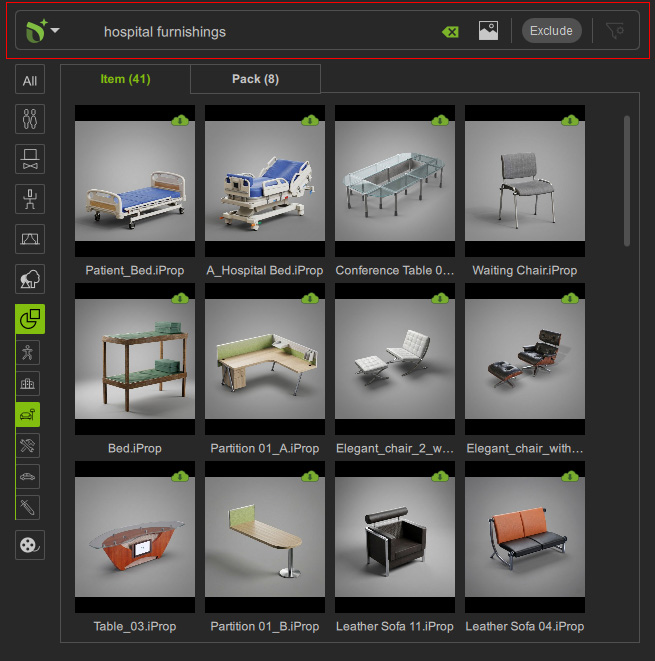
Downloading Content
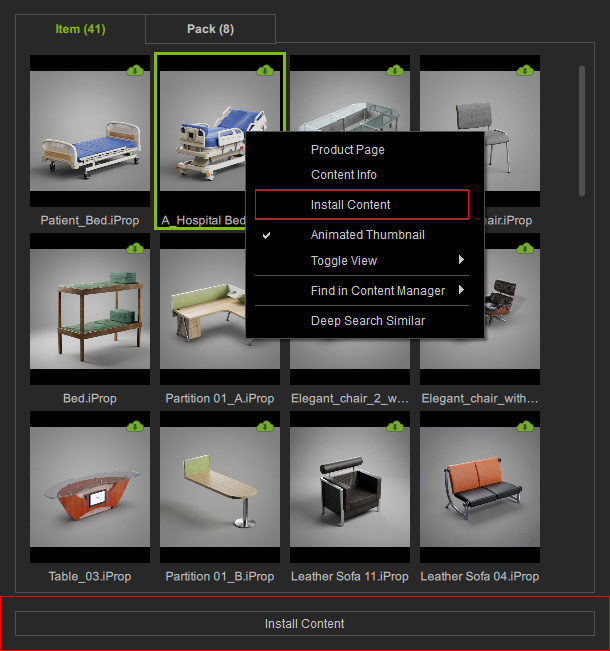
Packs or items available for download are marked with a Cloud  icon in the top-right corner.
Double-click the content, right-click and choose Install Content, or click the Install Content button at the bottom to download and install it.
icon in the top-right corner.
Double-click the content, right-click and choose Install Content, or click the Install Content button at the bottom to download and install it.
Applying Content
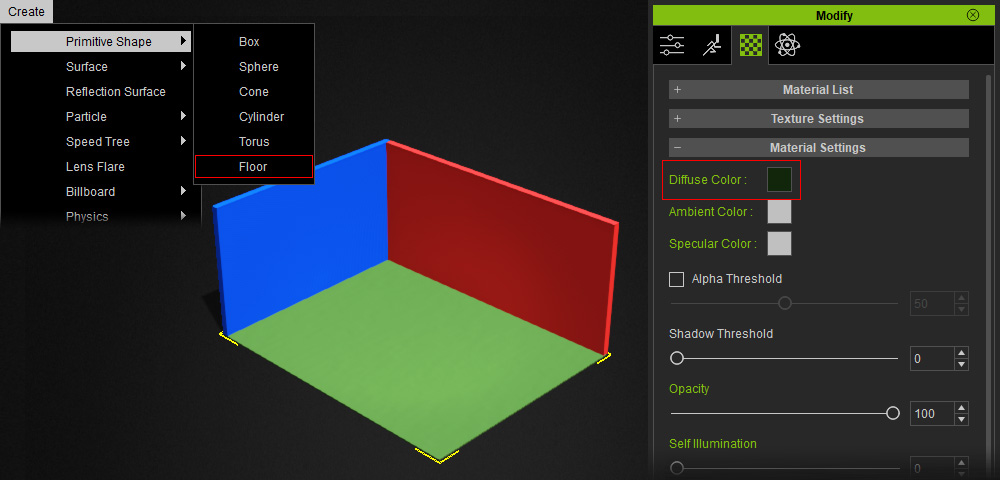
Before applying content to the scene, you can create primitive shapes to previsualize background props (walls and floors) and adjust their diffuse colors for clearer identification when prompting in AI Studio.
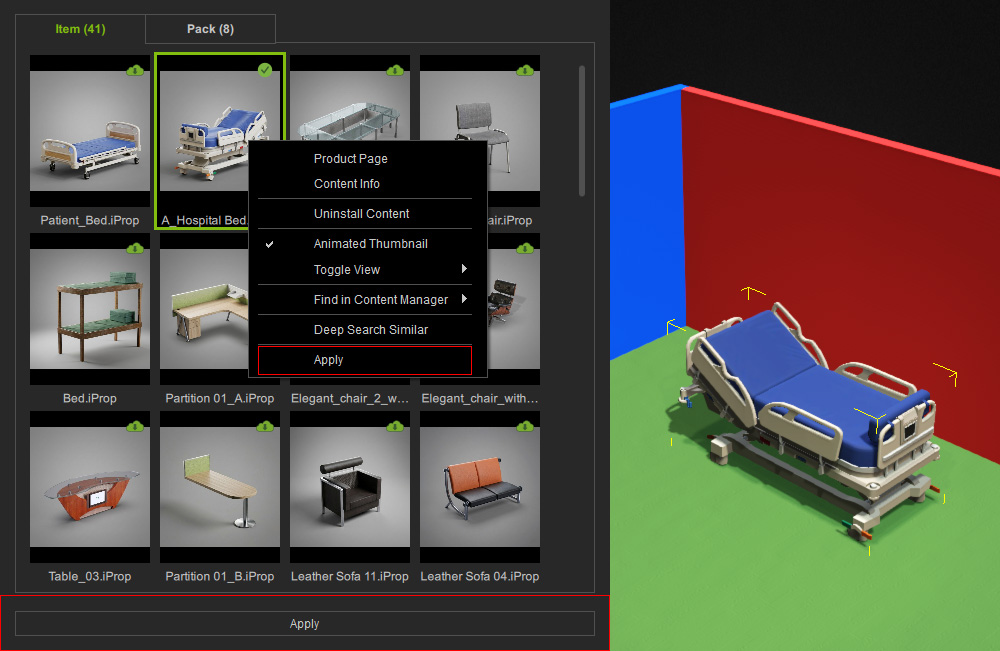
Installed packs or items are marked with a Checkmark  icon in the top-right corner.
Double-click the content, right-click and choose Apply, click the Apply button at the bottom, or drag it directly to the target position in the viewport.
icon in the top-right corner.
Double-click the content, right-click and choose Apply, click the Apply button at the bottom, or drag it directly to the target position in the viewport.
Transforming Content
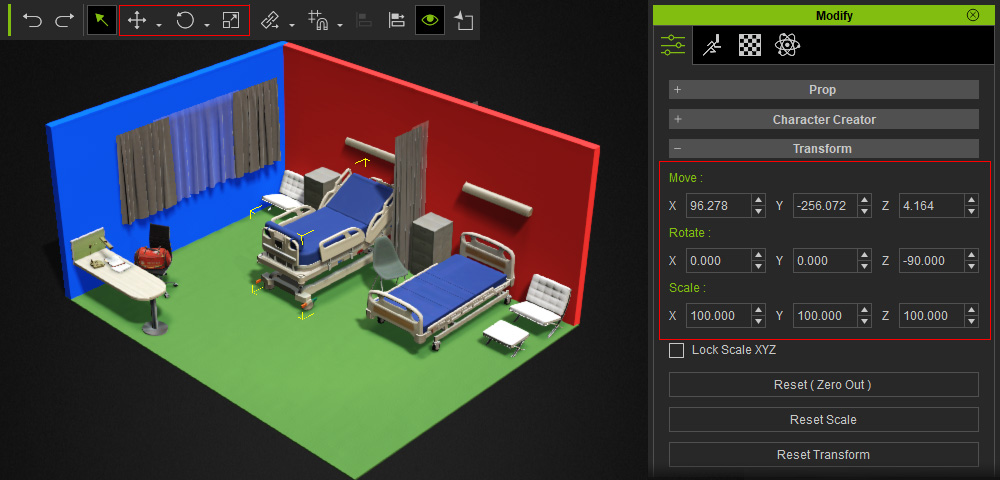
Use the Transform Tools to reposition furnishing props to the desired locations.
Sending to AI Studio
After positioning the furnishing props, click Capture Image from 3D Viewport in the AI Studio Tools toolbar to capture the current viewport and send it to the 3D to Image tool in AI Studio.

3D Guided Gen
Complete the 3D to Image workflow to generate images in the desired render style.
In the Prompt field, enter detailed style descriptions for the red, blue, and green dummies shown in the 3D viewport.
| Prompt | Captured Image from 3D Viewport |
Completely maintain the camera angle, composition, and the proportions and appearances of the characters from Reference Image.
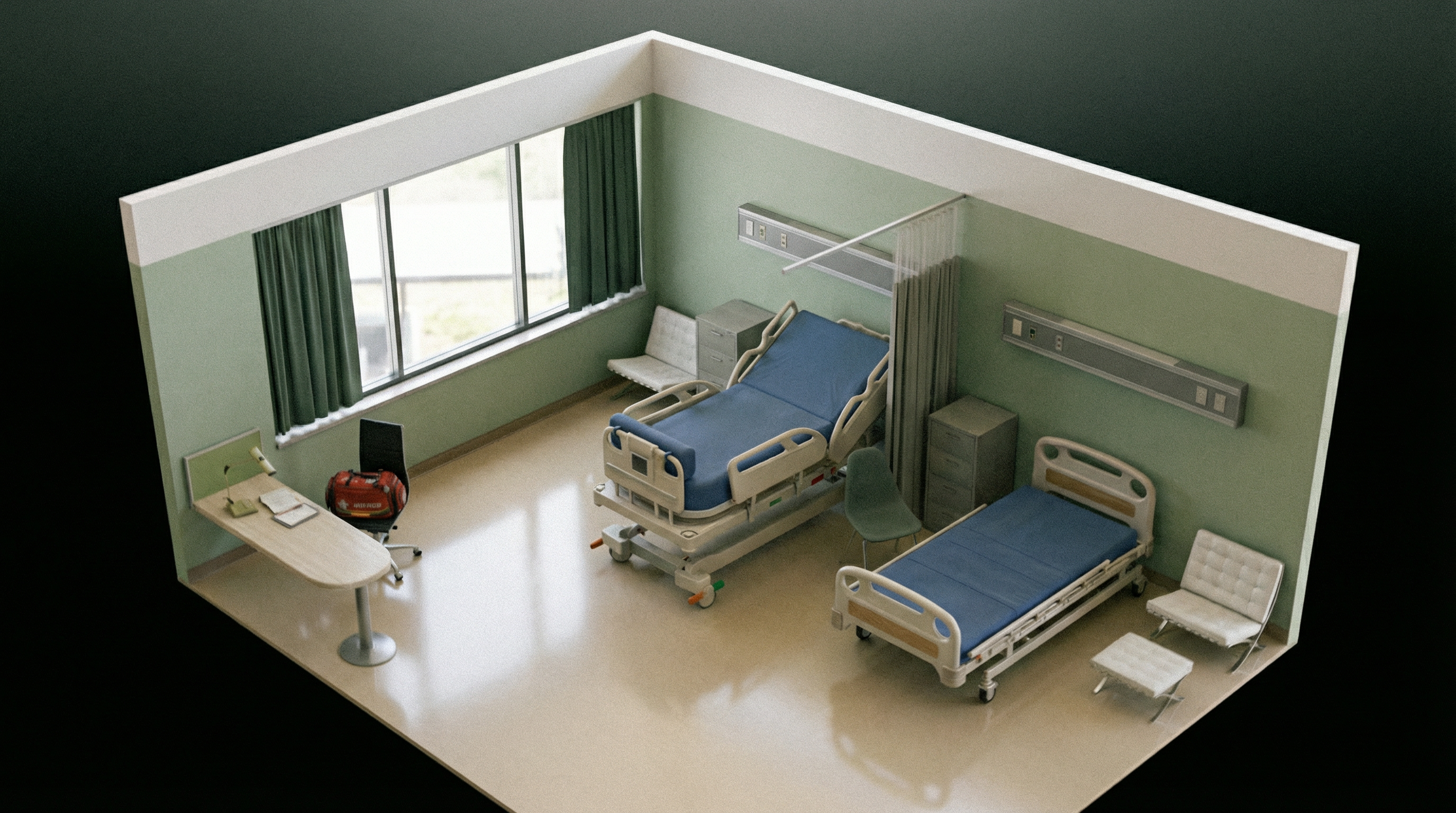
This is a Hospital Ward design.
Transform the red dummy into the walls are finished in a pale sage green with a white upper border. Each bed section is equipped with a horizontal grey utility panel. Long,
Transform the blue dummy into the Window Wall: The far wall features a wide, large window that provides a broad view and plenty of daylight. The lower portion of the window is covered by dark green blinds, while the top is open to let in more light.
Transform the green dummy into the floor is made of smooth, light beige linoleum or vinyl. It has a seamless and polished appearance, reflecting the light from the ceiling and making the large ward feel bright and open.
photorealistic, ultra realistic, natural light, film still, shallow depth of field, film grain, motion blur, handheld camera, documentary style, 8k.
Negative prompt: CGI, 3D render, visible creature, plastic skin, smooth textures, repeating patterns, tiled ground, procedural textures, game graphics, unrealistic physics.
[light: Soft Light] [style: Photo Realistic] | 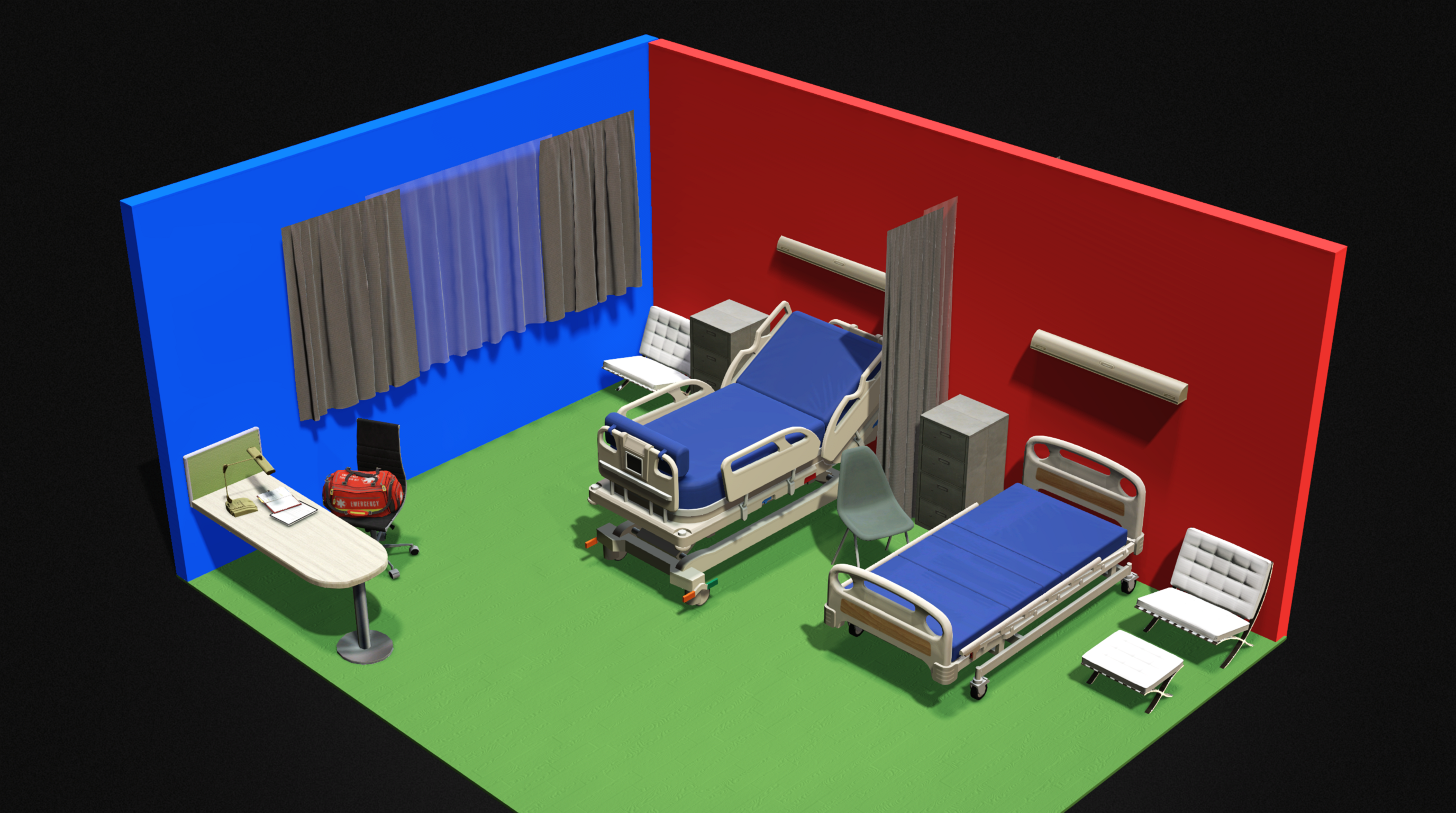 |
| AI Output |
 |
| Prompt | Captured Image from 3D Viewport |
Completely maintain the camera angle, composition, and the proportions and appearances of the characters from Reference Image.
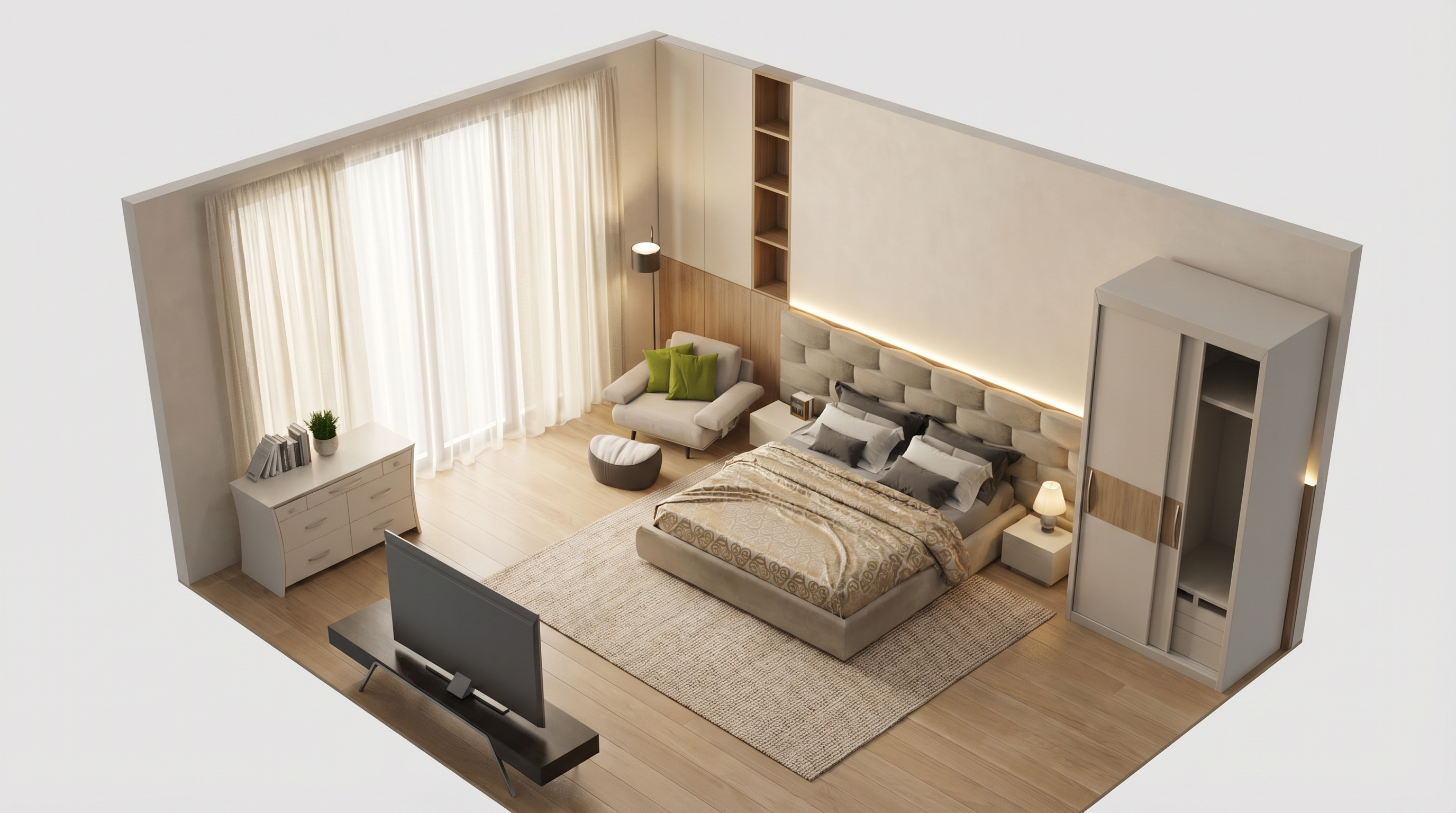
This is a master bedroom with modern design.
Transform the red dummy into the walls are finished in a soft, matte cream plaster, creating a warm and seamless backdrop. The main feature is a low-profile wood-paneled wainscoting that runs horizontally behind the bed, integrated with concealed LED strip lighting that casts a gentle, ambient glow upward. To the side, a floor-to-ceiling built-in storage unit blends perfectly with the wall, featuring recessed wooden shelving for a clean, architectural look.
Transform the blue dummy into the Window Wall: The far wall is dominated by large, floor-to-ceiling windows that allow for an abundance of natural light. They are dressed in layered, sheer ivory curtains that soften the daylight, adding a light, airy texture to the space while maintaining privacy.
Transform the green dummy into the floor consists of smooth, wide-plank light oak, providing a natural and grounded feel. A large, textured beige area rug sits beneath the floating bed frame, adding a layer of cozy tactile comfort and subtle contrast to the wood grain.
[light: Soft Light] [style: Photo Realistic] | 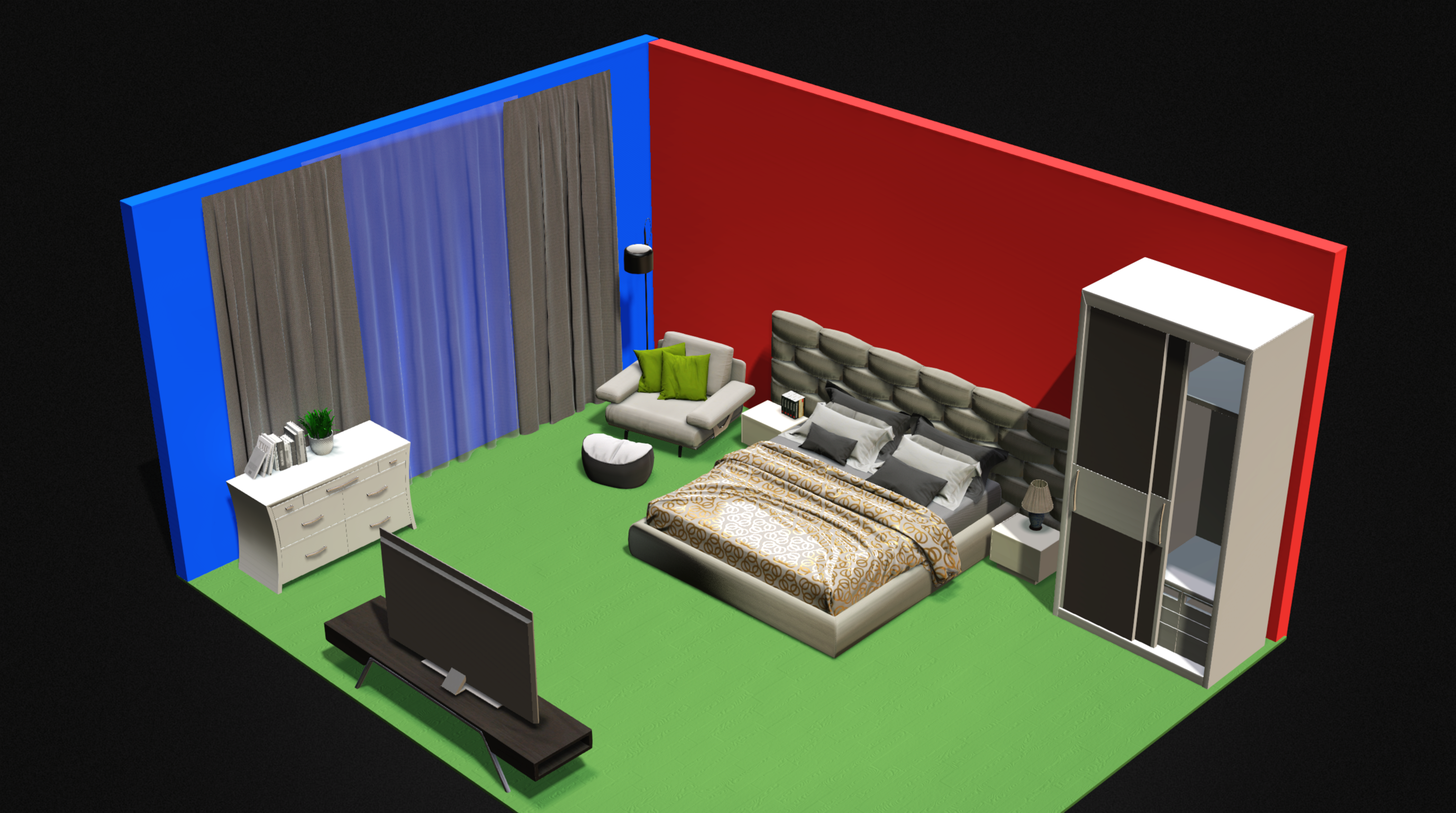 |
| AI Output |
 |
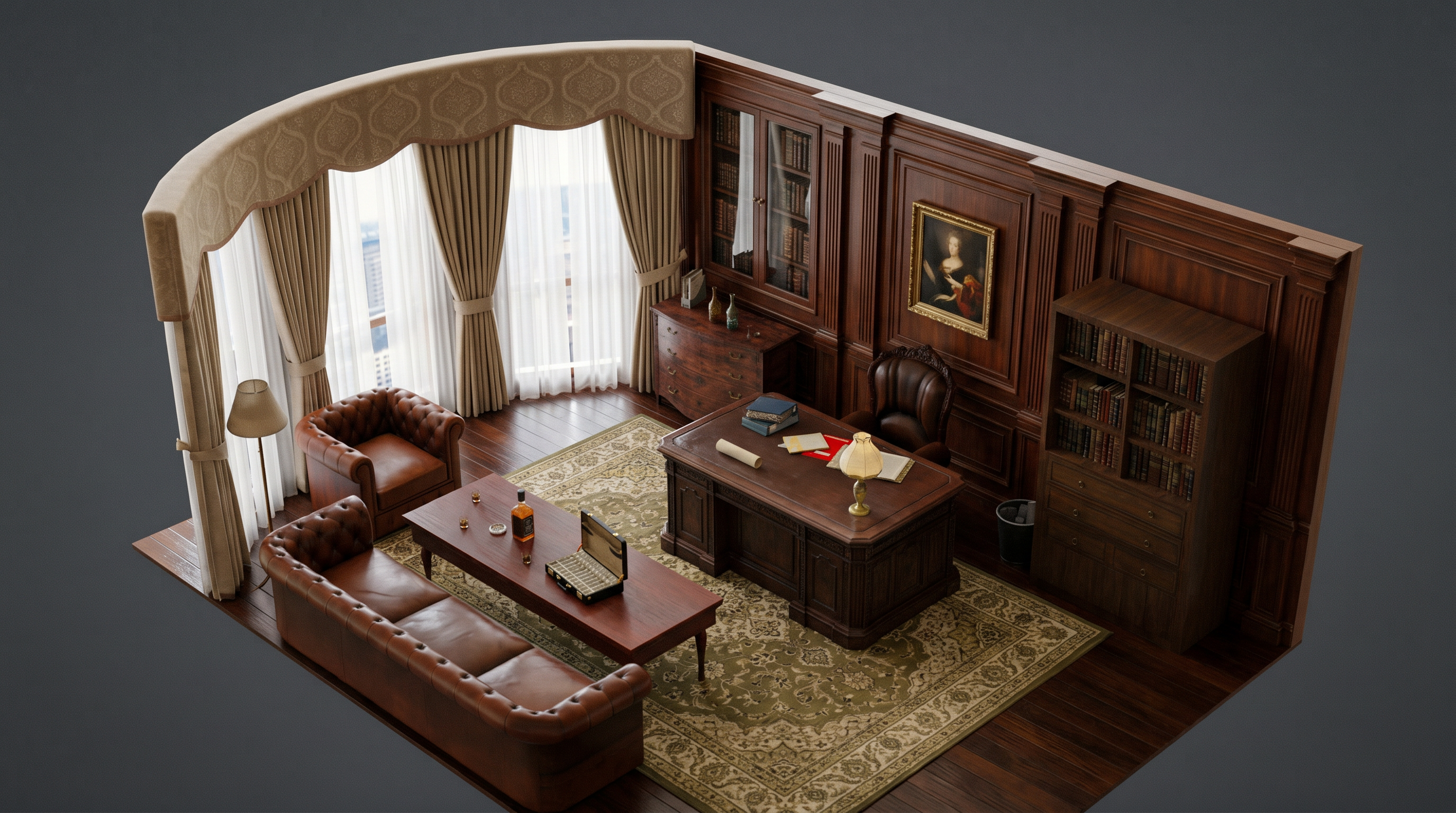
| Prompt | Captured Image from 3D Viewport |
Completely maintain the camera angle, composition, and the proportions and appearances of the characters from Reference Image.
This is a executive Office Description, isolated against a solid dark gray background with no other environment generated outside the room boundaries.
Transform the red dummy into the walls are covered in rich, dark wood wainscoting and ornate paneling, giving the room a sophisticated and traditional feel. Built into the walls are elegant glass-fronted bookcases and classical moldings that frame artwork, creating a sense of history and authority.
Transform the blue dummy into the Window Wall: A curved, panoramic window view. It is decorated with a distinctive curved, ornate fabric valance at the top featuring a beige damask pattern, paired with long, pleated floor-to-ceiling beige curtains, these are paired with sheer white inner curtains that diffuse the natural light, while thick fabric tie-backs add a formal, decorative touch to the window treatment.
Transform the green dummy into the floor is made of dark, polished hardwood that matches the tone of the wall paneling. A large, intricately patterned Persian-style rug in shades of beige and olive covers most of the floor area, providing a plush texture and a sense of warmth to the professional space.
photorealistic, ultra realistic, natural light, film still, shallow depth of field, film grain, motion blur, handheld camera, documentary style, 8k.
Negative prompt: CGI, 3D render, visible creature, plastic skin, smooth textures, repeating patterns, tiled ground, procedural textures, game graphics, unrealistic physics.
[style: Photo Realistic] [light: Soft Light] | 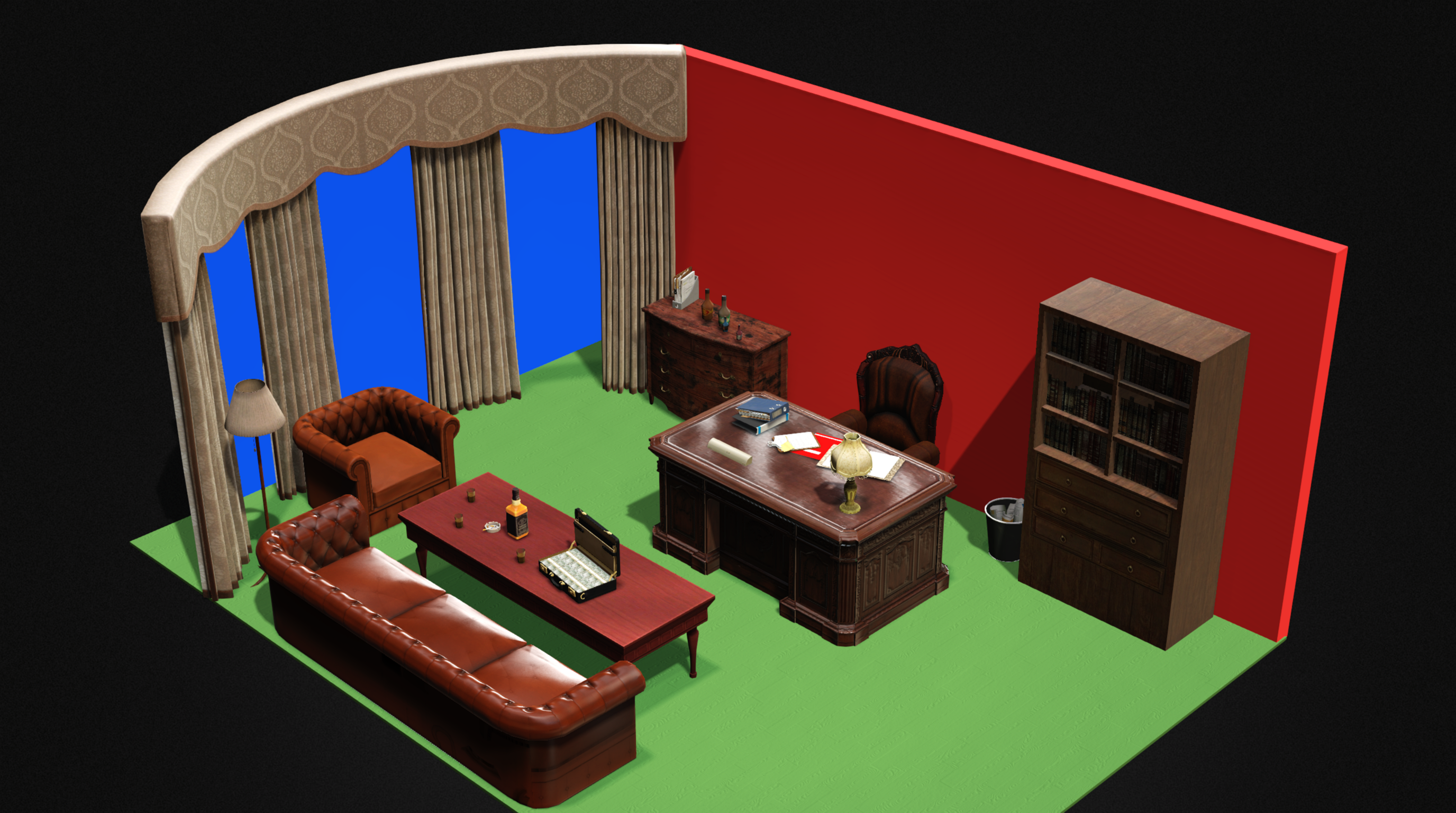 |
| AI Output |
 |
