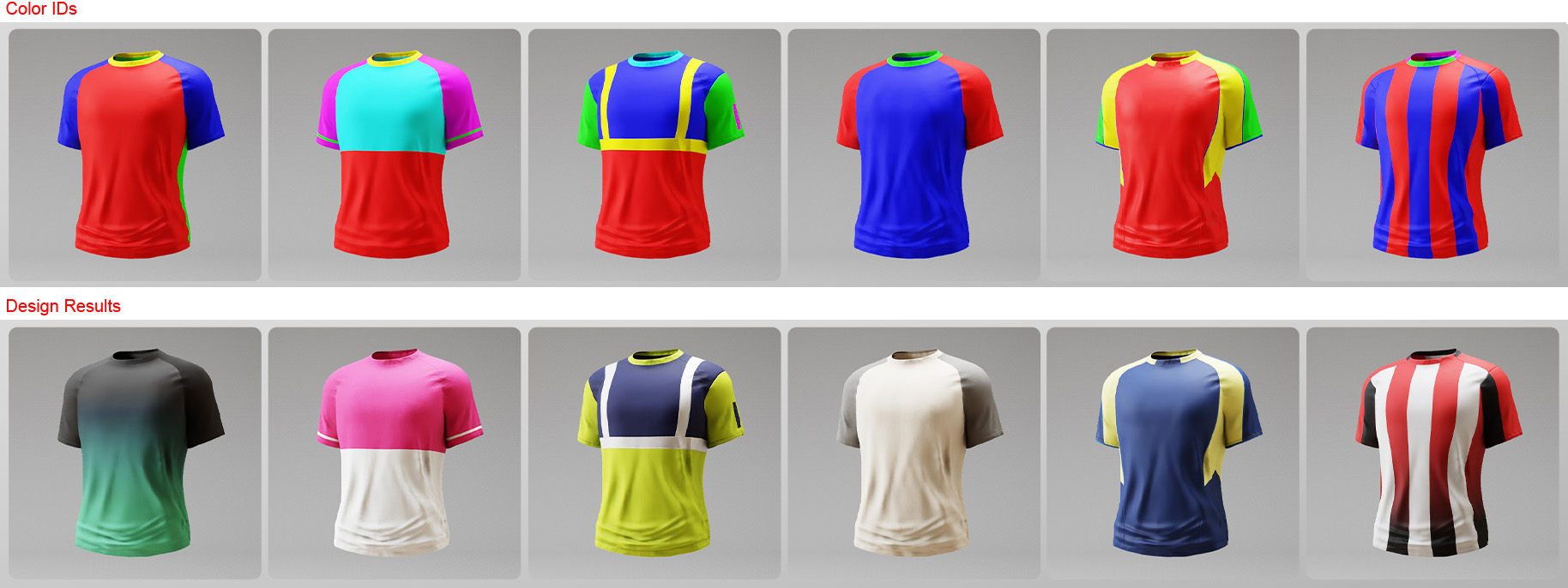
Getting Started with Color-Masked Layers
Each Smart Cloth item includes a Color ID map that divides the garment into color-masked areas, making it easy to assign specific fabrics or patterns to predefined mesh regions.
A garment's Color ID masking is also transferred to FashionGen.
See also: Tutorial - Color ID Maps in FashionGen
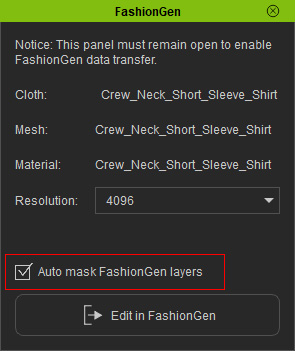
When FashionGen is launched with the Auto mask FashionGen layers option enabled, an individual layer is created for each color ID in the Layer Manager.
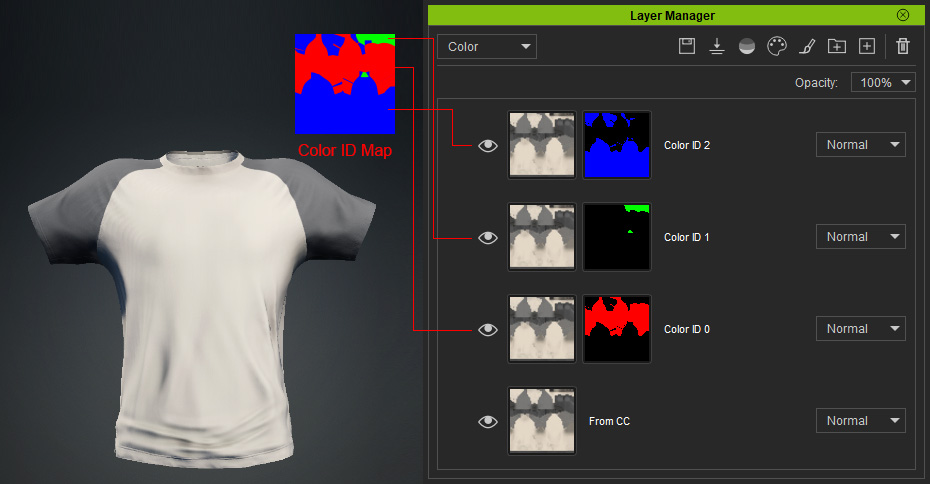
Switch the material channel to the Color ID map to see how the colors are distributed on the garment.
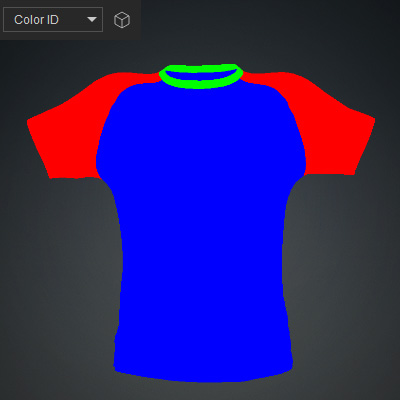
Manually Assigning Color IDs to Individual Layers
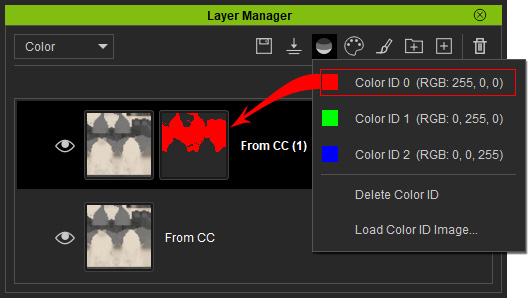
If the Auto mask FashionGen layers option is disabled when transferring a CC mesh to FashionGen, you must manually assign Color IDs to individual layers for proper texture distribution. You can either return to Character Creator and resend the clothing with the option enabled, or manually assign the desired Color IDs to each layer in the Layer Manager.
Duplicate the base clothing layer by right-clicking it and selecting the Duplicate Layer command.
Then, refer to the Color ID map and assign a Color ID using either the right-click context menu or the Color Mask button in the Layer Manager toolbar.
Assigning Textures or Colors to Color-Masked Regions
Using these color-masked regions, you can individually adjust materials to create a completely new appearance for the garment using any of the following methods:
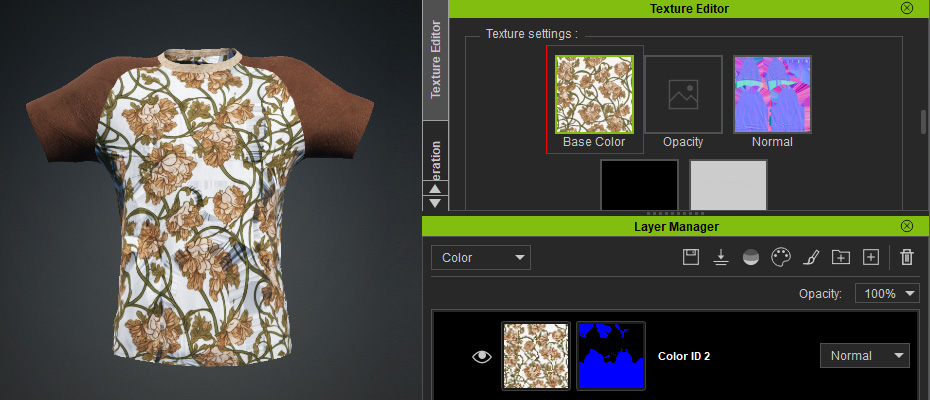
- Load the desired fabric or pattern into the Base Color channel.
Adjust the texture tiling as needed.
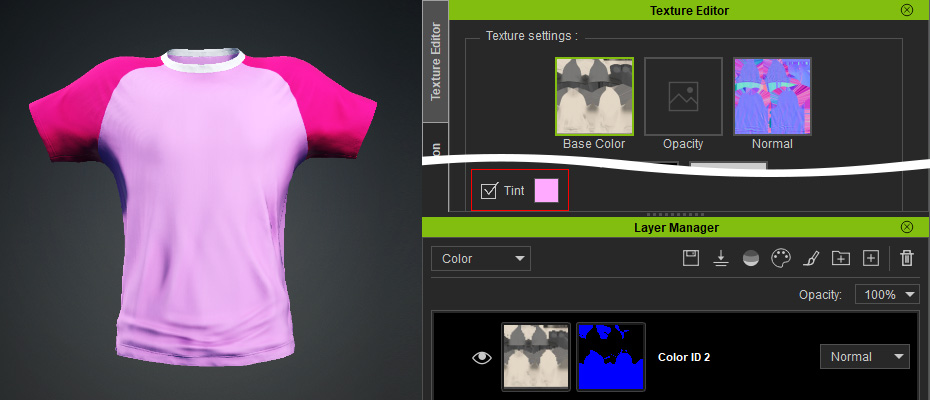
- Change the Tint of the Base Color material channel.
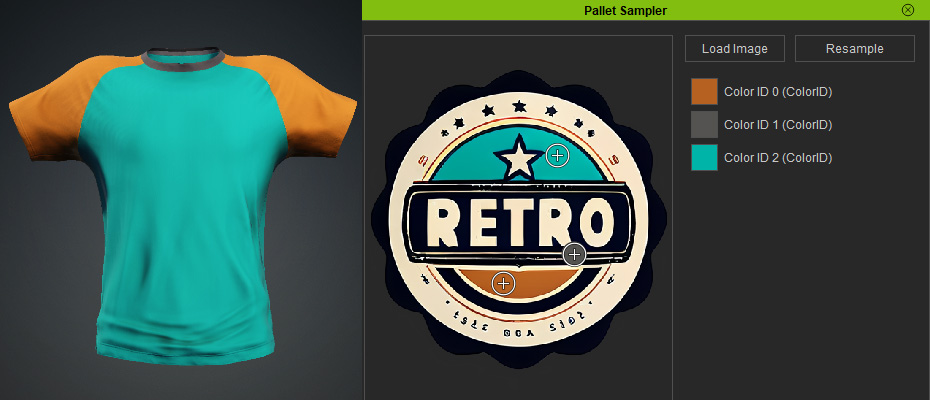
- Use the Pallet Sampler to apply a color scheme to all layers at once.
Creating a Custom Color ID Map
A custom Color ID map can also be created by defining precise regions using 7 color channels: Red, Green, Blue, Cyan, Magenta, Yellow, and Black (with Black representing the base).
Color ID | RGB Code | Color ID | RGB Code |
 Red Red
| 255, 0, 0 |  Cyan Cyan
| 0, 255, 255 |
 Green Green
| 0, 255, 0 |  Magenta Magenta
| 255, 0, 255 |
 Blue Blue
| 0, 0, 255 |  Yellow Yellow
| 255, 255, 0 |
 Black Black
| 0, 0, 0 |
These colors divide the garment into specific regions, each corresponding to a layer’s effective area. You can create custom Color ID maps to explore variations in texture distribution.