Managing Animation Assets
The Animation Assets panel supports the import of 3 compatible animation formats.
- .iTalk: Facial animations based on CC3+ characters, created using morphs.
- .rlMotion: Body animations based on CC3+ characters, edited using HIK (Human IK).
- .iMotionPlus: A combined format that includes both .iTalk and .rlMotion, integrating facial and body expressions into a single animation.
Launching Animation Assets Panel
Open the Animation Assets panel by clicking the Animation Assets → button in the Behavior Tree panel.
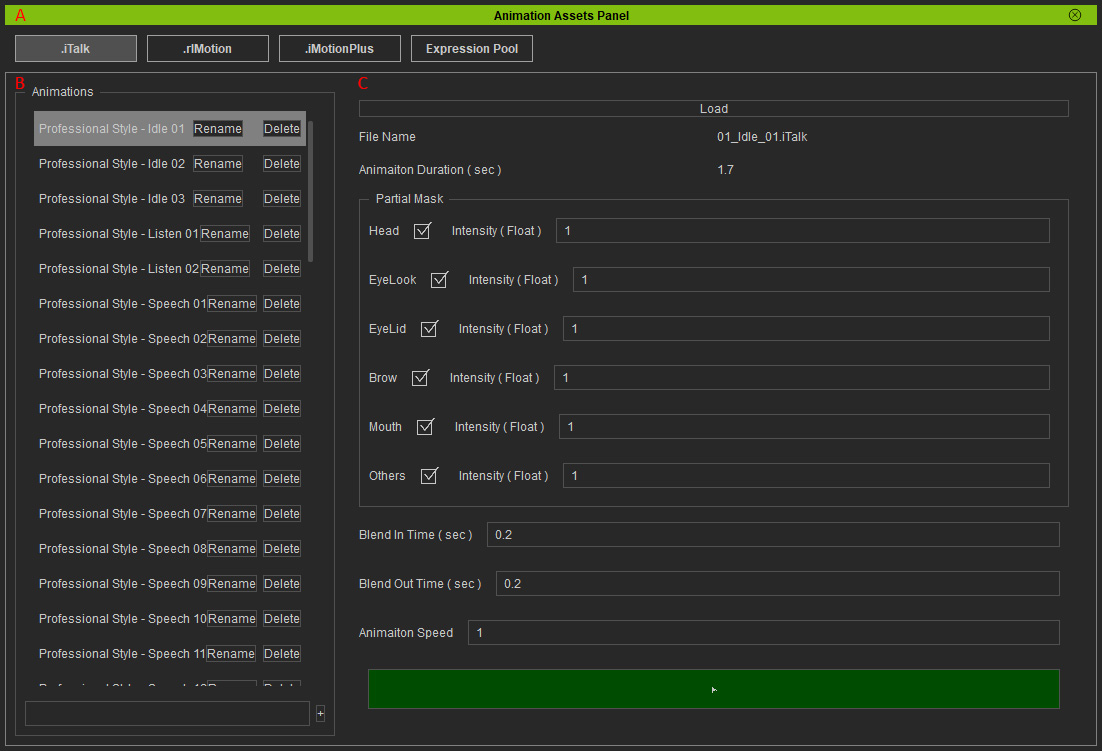
-
 Animation Tabs
The animation formats are categorized into separate tabs in the panel.
Animation Tabs
The animation formats are categorized into separate tabs in the panel. -
Animation List
Create and manage your animation assets.
-
Animation Controls
Load an animation clip (expression or motion file) into the selected asset, configure the partial masks, blend in/out, and animation speed settings.
