Switching States
After creating the state nodes, establish the relations between states to develop a self-behavior change.
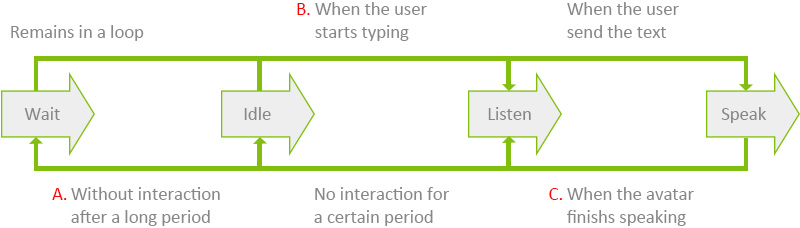
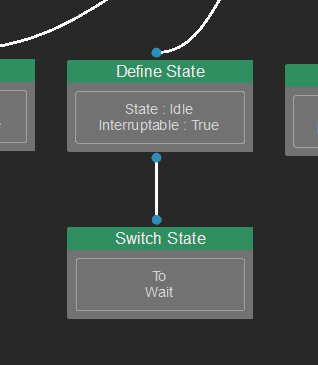
- Idle for a certain time: Switches state from Idle to Wait (self-behavior).
- User interacting on the Chat: Switches state from Wait / Idle to Listen state (external interference).
- After speaking: Switches back to Listen state (self-behavior).
Follow the instruction below to make a switch between state nodes in the Behavior Tree.
- In the Behavior Tree graph, right-click on the empty area and select Leaf > State > Switch State.
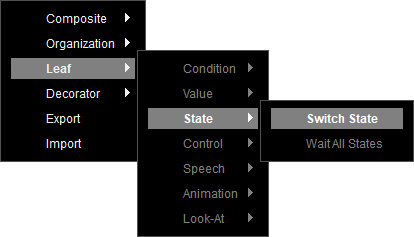
- A Switch State node is created.
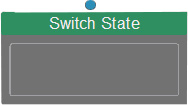
Select the node to show its corresponding settings in the Parameters section on the right.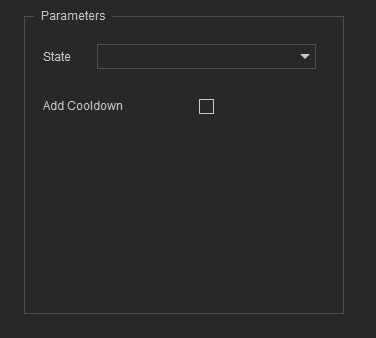
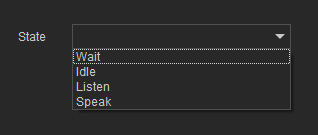
- Select the target state from the drop-down list.
- Connect it to a state node (Idle in this case) to make the node switch to Wait after being idle for a certain time.
- Repeat the steps described above for state switching.
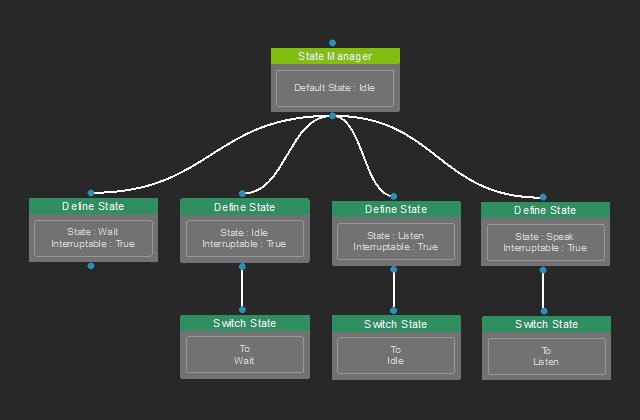
* Switching to the Listen or Speak state requires a conditional mechanism. - Deploy Test Tasks to simulate the character's behavior.
