Deploying Test Tasks
After completing the state switching, you can deploy some test nodes to stimulate the character's behavior in each state.
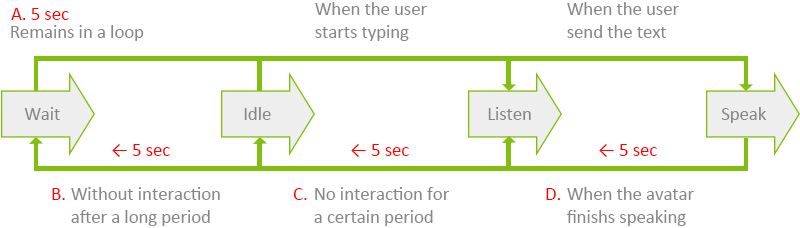
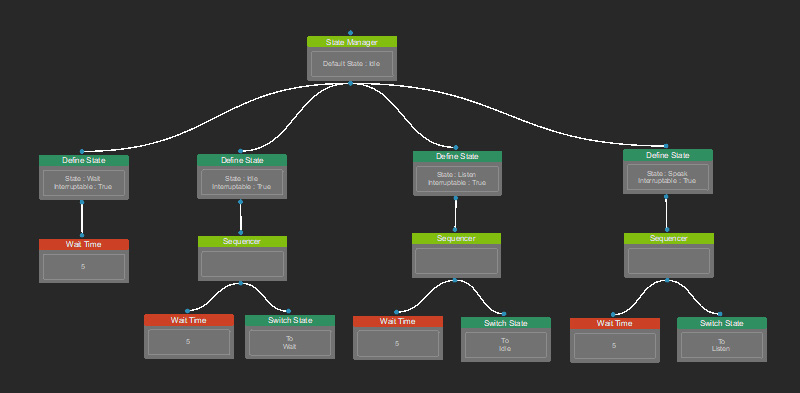
- Wait state lasts for 5 seconds (looping).
- Idle state lasts for 5 seconds before switching back to the wait state.
- Listen state lasts for 5 seconds before switching back to the idle state.
- Speak state lasts for 5 seconds before switching back to the listen state.
Follow the instruction below to arrange the test nodes in the Behavior Tree.
- In the Behavior Tree graph, right-click on the empty area and select Leaf > Control > Wait Time.
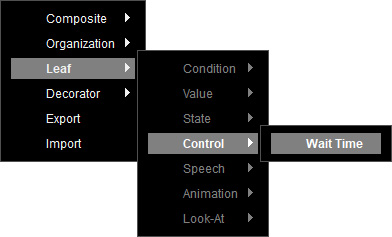
- A Wait Time node is created.
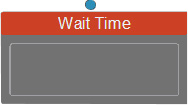
Select the node to show its corresponding settings in the Parameters section on the right.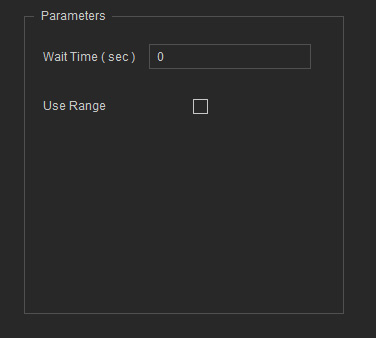
- Specify a waiting period in seconds.
If there's no self-state switching necessary, directly connect it to a state node ("Wait" in this case) to execute the node for the specified time.
This makes the "Wait" state loop when not interrupted.
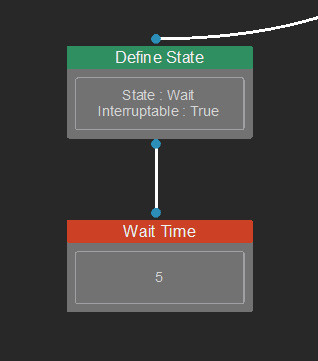
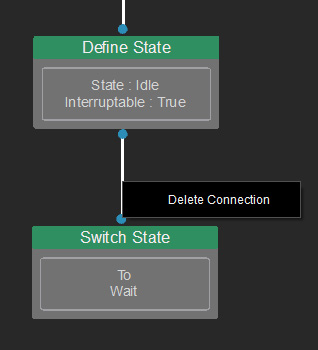
- When it comes to switching state after executing the Wait Time node, remove the node connection between the Define State and Switch State first.
Right-click on the connection line and click on Delete Connection.
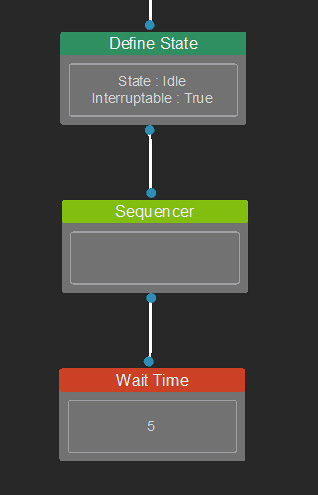
- Add a Sequencer node to link between the Define State (upward linking) and the Wait Time (downward linking).
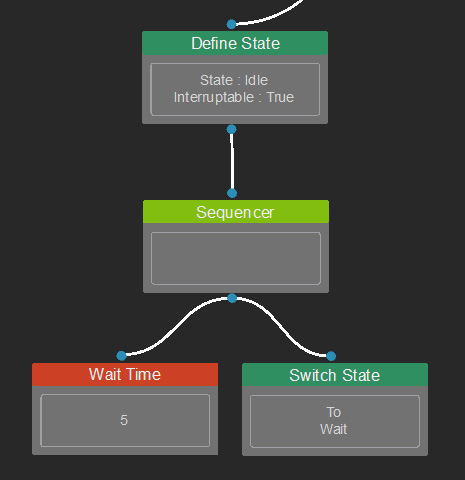
- Move the Switch State node to the right of the Wait Time node, and connect it to the Sequencer node.
This makes the idle state switch to the wait state after a 5-second countdown.
- Repeat the above-described steps to deploy the test nodes to other states.
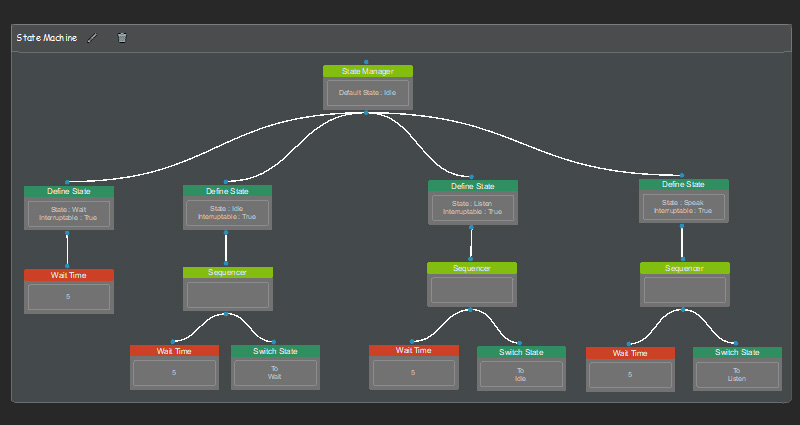
- Use a Comment node to group these nodes, and rename it as "State Machine".
- Add a Look-At animation for the Wait state, and generate a speech animation for the Speak state.
- Add switch conditions to the Listen and Speak states to finalize the behavior loop.
