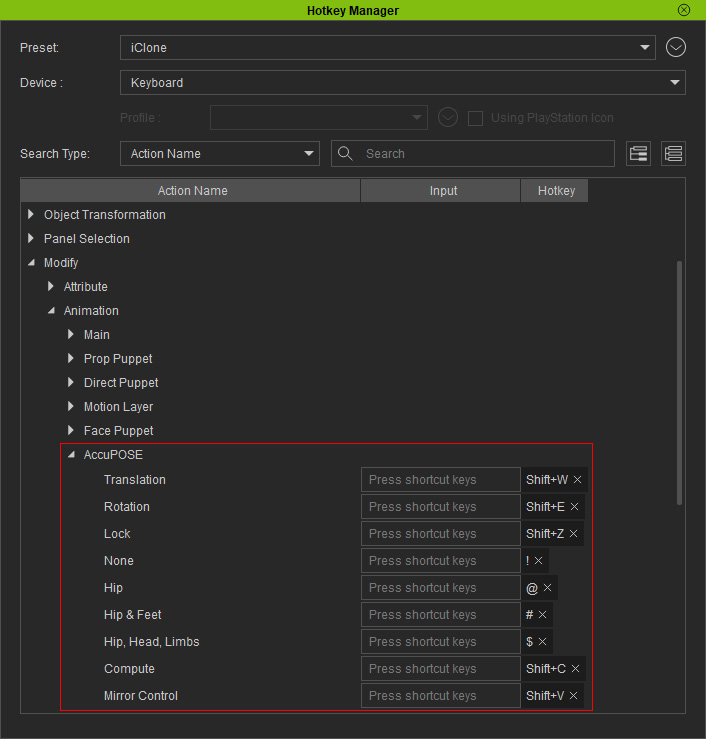
Hotkeys in AccuPOSE
When AccuPOSE panel is launched, there are specific hotkeys for you to quickly perform some trivial operations, such as locking or constraining the RT for certain control points.
|
Commands |
Shortcuts |
Description |
|
Shift + W |
Toggles translation constraint on / off for selected control points. |
|
|
Shift + E |
Toggles rotation constraint on / off for selected control points |
|
|
Shift + Z |
Locks or unlocks both translation and rotation for the selected control points. |
|
|
None |
Shift + 1(!) |
Clears both translation and rotation constraints for selected control points. |
|
Hip |
Shift + 2 (@) |
Activates both translation and rotation constraints for selected control points. |
|
Hip & Feet |
Shift + 3 (#) |
Activates both translation and rotation constraints for the hip, and the translation constraint for both feet control points. |
|
Hip, Head, Limbs |
Shift + 4 ($) |
Activates both translation and rotation constraints for the hip, rotation constraint for the head and the translation constraint for hands and feet. |
|
Shift + C |
Commences AI-assistance for the control points that are free from translation and rotation constraints. |
|
|
Shift + V |
Toggles the Mirror Control feature on / off. |
You can edit the hotkeys in the Hotkey Manager (Edit > Hotkey Manager).