Quick Guide: Using Quad Remesher (New for v5.2)
Follow these steps to reduce a model's polygon count and generate a quad-based mesh.
- Select a Model: Select an Avatar, Prop, Cloth, Accessory, or Hair object in the scene.
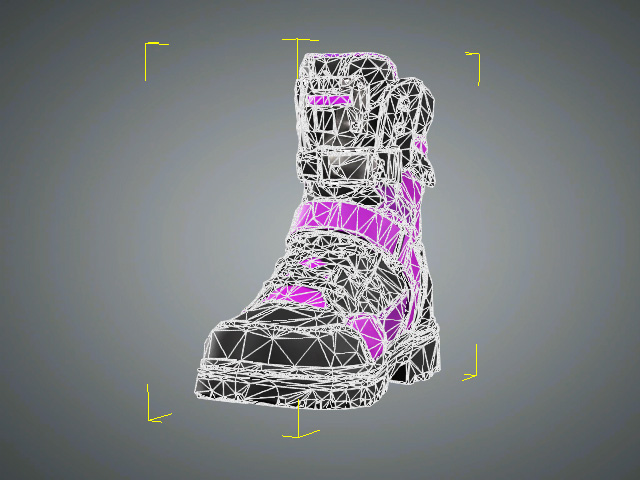
- Open the Quad Remesher panel.
- Choose By Percentage to reduce the polygon count proportionally, or By Quad Count to specify a target number of quads.
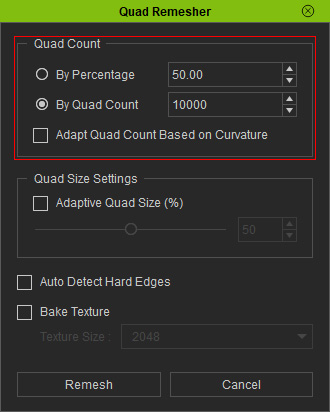
- Adjust the Quad Size settings.
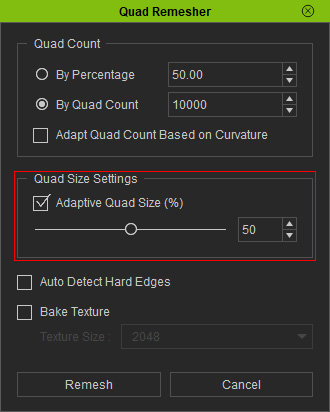
- Configure the quad distribution and enable Auto Detect Hard Edges if needed.
- Enable Bake Texture as set the Texture Size if you want to bake the original textures onto the remeshed model.
- Click Remesh to start the process.
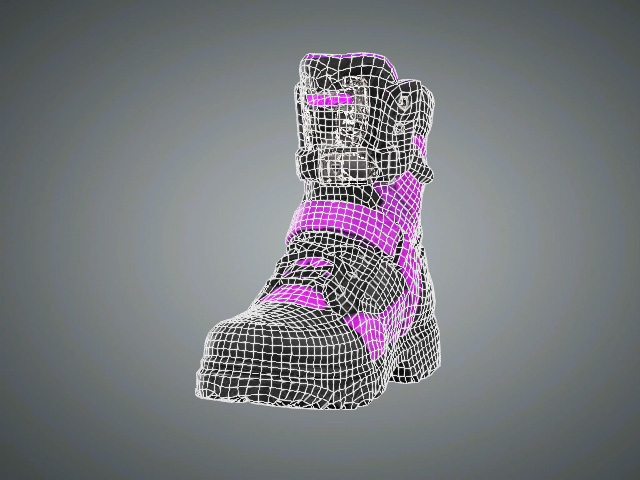
Check the remeshed model. If necessary, adjust the settings and remesh again.
 Tip:
If you remesh a model without baking its textures, you can use High-to-Low Poly Baking to transfer its surface details from the original high-poly model to the remeshed model.
