Using 3D Assets — Animals
With an AI Service subscription, AI Studio provides a wide range of animals and motion presets that can be applied directly, allowing you to enrich projects with fully rigged, pose-ready animals and built-in motion options for video reference.
Accessing Content
Open the Smart Search panel and select the AI Studio tab.
Animals and animal motions are organized into separate libraries:
- Animals: Available under
 Actor > iClone Creature Library, with tabs for switching between Item View and Pack View.
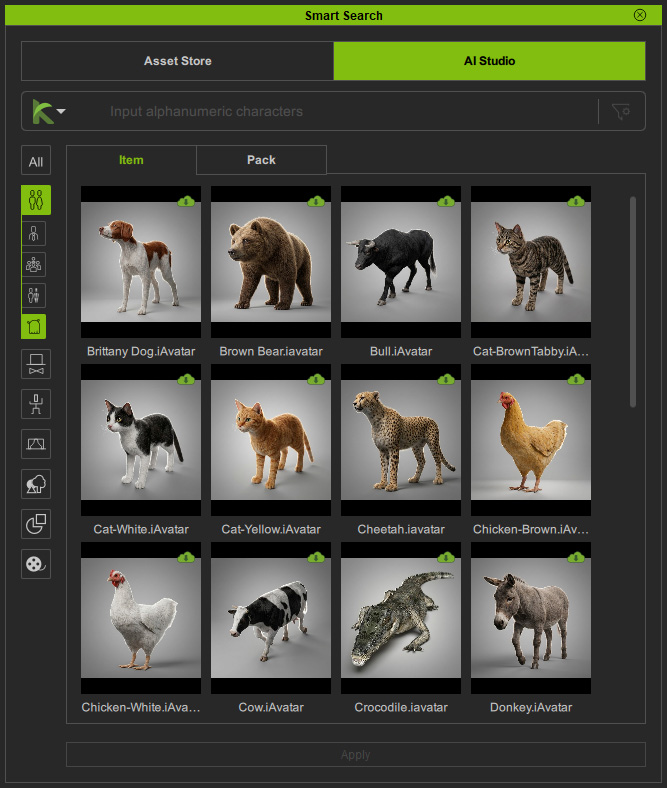 | 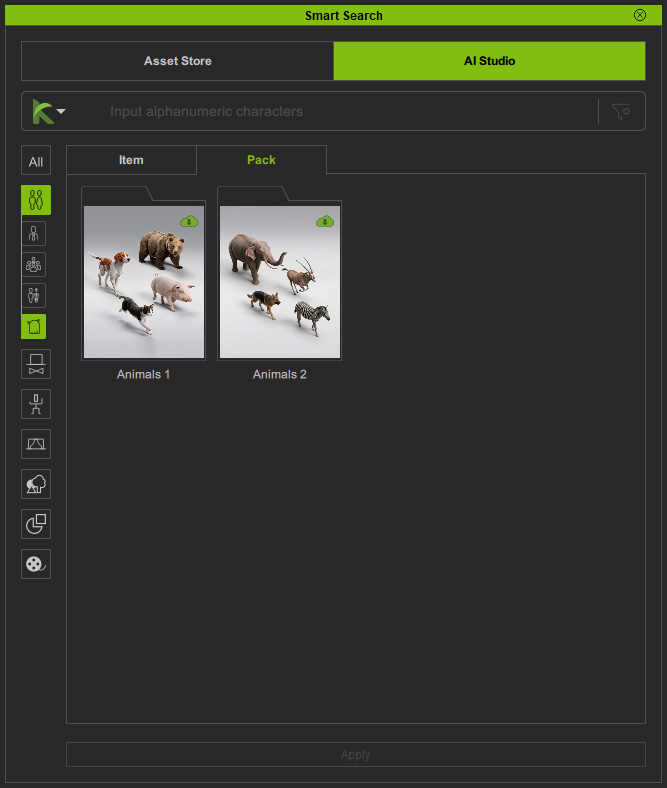 |
| Item View | Pack View |
- Animal Motion: Available under
 Animation > iClone Creature Library, with tabs for switching between Item View and Pack View.
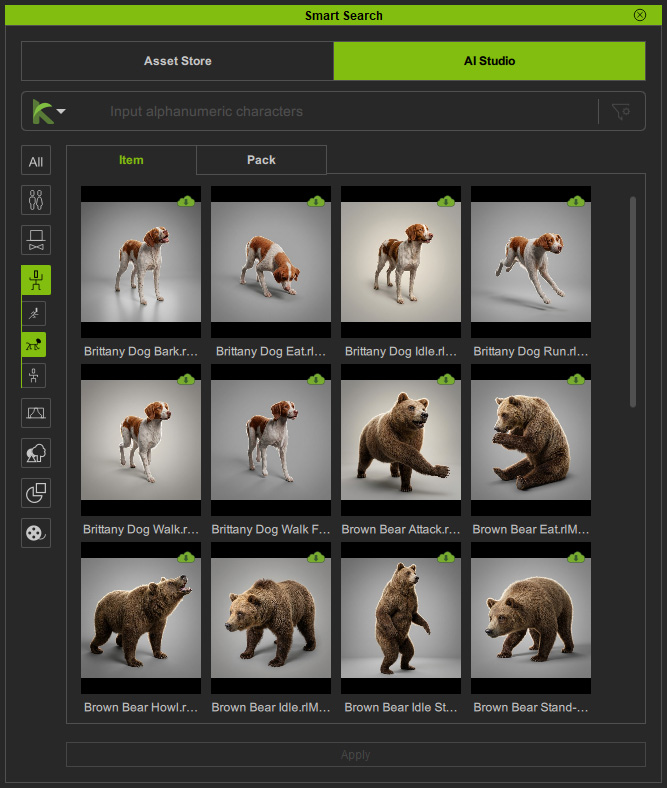 | 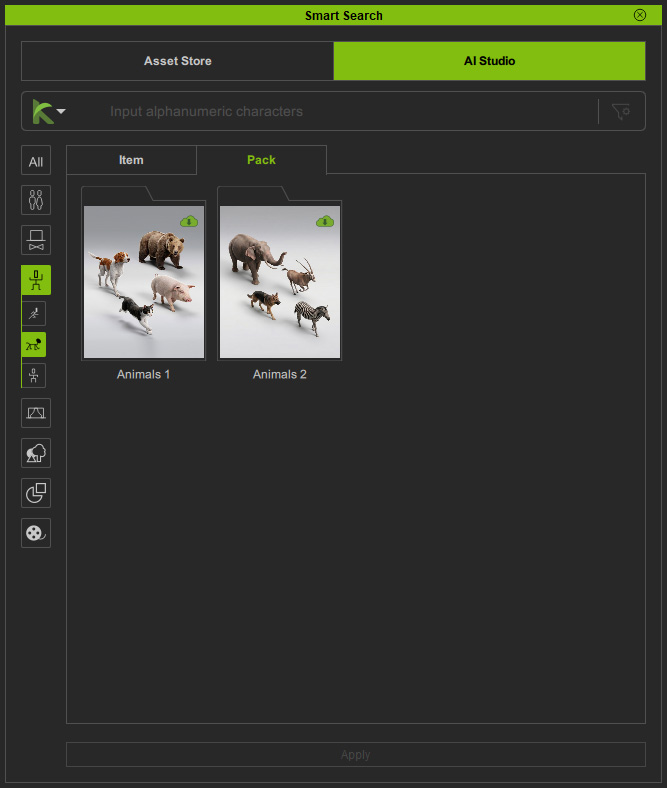 |
| Item View | Pack View |
Searching Content
Use Deep Search or Keyword Search to find the desired animal motions.
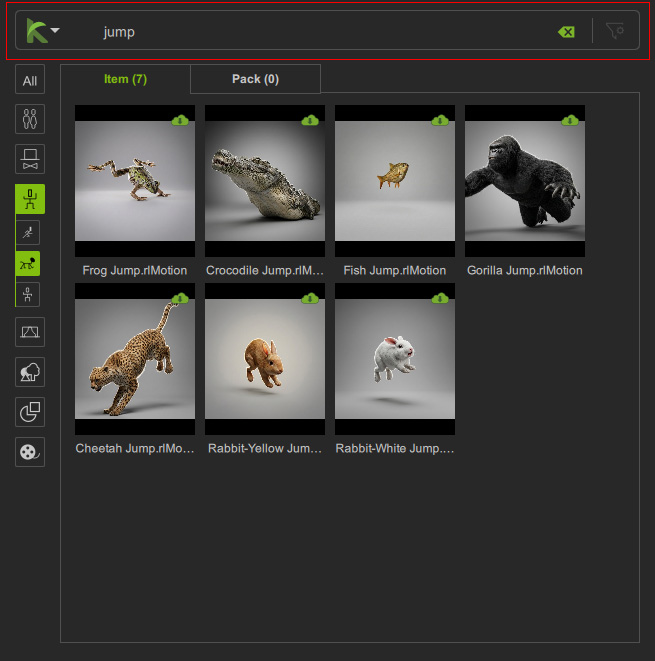
Downloading Content
Packs or items available for download are marked with a Cloud  icon in the top-right corner.
Double-click the content, right-click and choose Install Content, or click the Install Content button at the bottom to download and install it.
icon in the top-right corner.
Double-click the content, right-click and choose Install Content, or click the Install Content button at the bottom to download and install it.
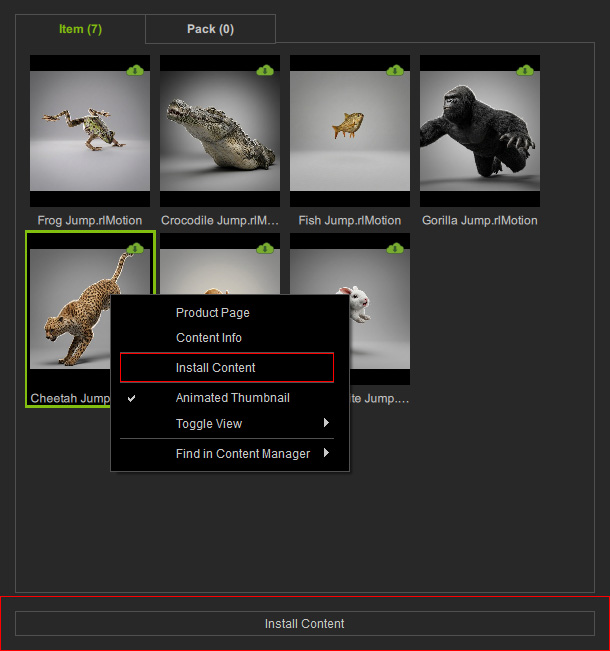
The corresponding animal character for the animal motion will be downloaded and installed together.
Applying Content
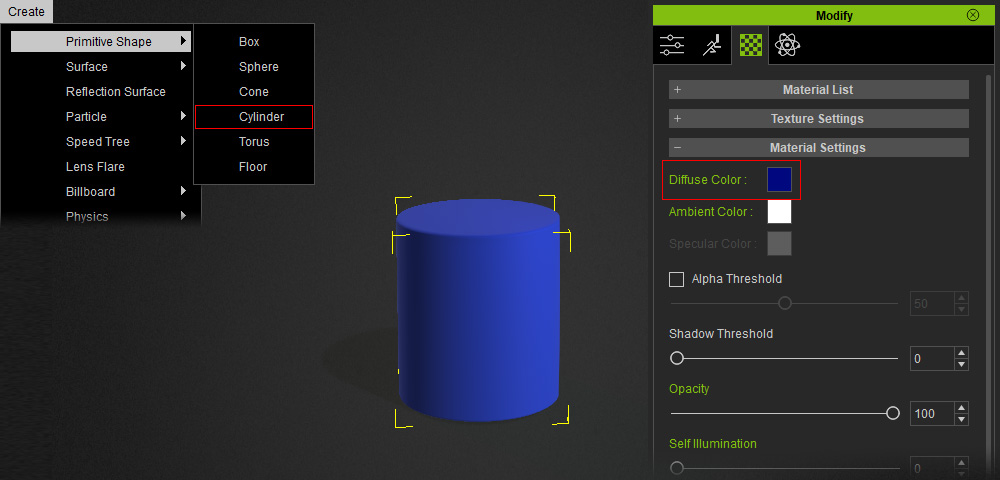
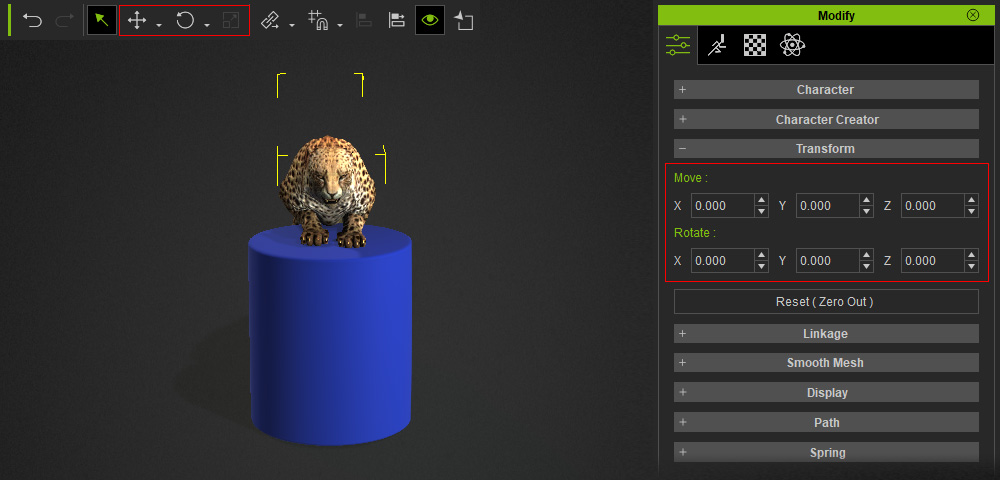
Before applying content to the scene, you can create primitive shapes to previsualize background props and adjust their diffuse colors for clearer identification when prompting in AI Studio.
Installed packs or items are marked with a Checkmark  icon in the top-right corner.
Double-click the content, right-click and choose Apply, click the Apply button at the bottom, or drag it directly to the target position in the viewport.
icon in the top-right corner.
Double-click the content, right-click and choose Apply, click the Apply button at the bottom, or drag it directly to the target position in the viewport.
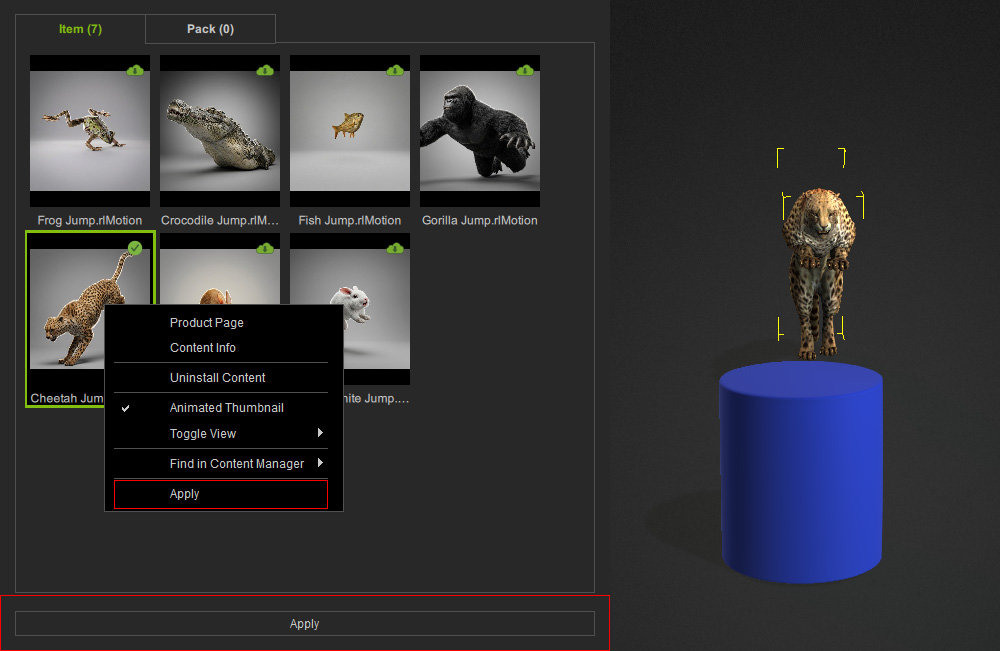
Transforming Content
Use the Transform Tools to reposition the animal character to the desired location.
Sending to AI Studio
After positioning the furnishing props, click Capture Image from 3D Viewport in the AI Studio Tools toolbar to capture the current viewport and send it to the 3D to Image tool in AI Studio.

3D Guided Gen
Complete the 3D to Image workflow to generate images in the desired render style.
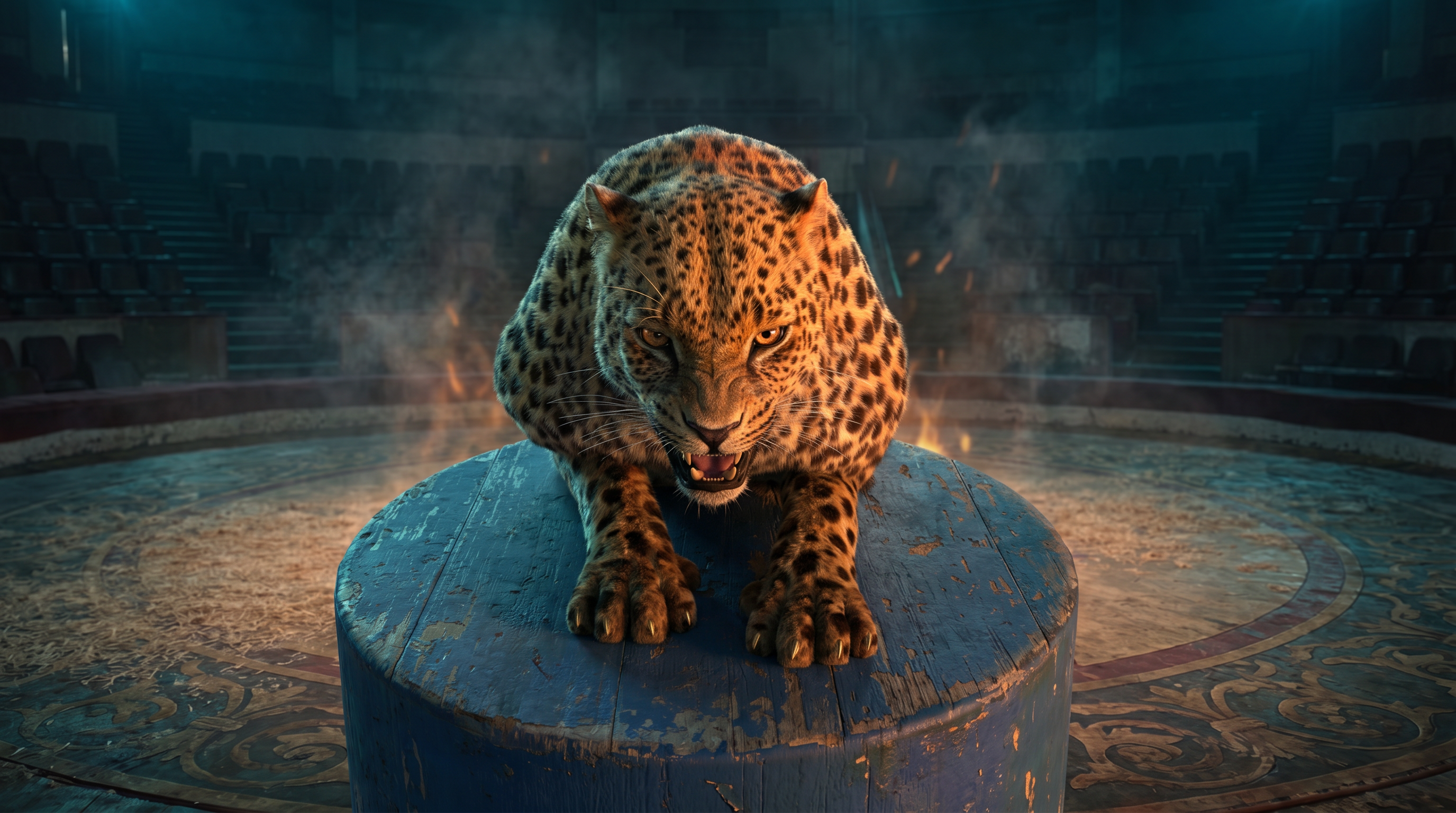
In the Prompt field, enter detailed style descriptions, and use the blue dummy in the 3D viewport to define the object’s position and scale.
| Prompt | AI Output |
Completely maintain the camera angle, composition, and the proportions and appearances of the characters from Reference Image.
[Cinematography]:
Strictly maintain the exact camera angle, centered composition, and the fixed proportions of the subject from the Reference Image. The shot is a direct, eye-level frontal view. The fire hoop is positioned directly behind the camera lens, acting as a frontal key light that is completely out of the frame. Capture the micro-textures of the fur and wood. The overall light is low-key, with a strong emphasis on the interplay between the cool background and the warm frontal glow.
[Subject]:
The appearance, scale, and crouched snarling posture of the leopard are completely maintained from the Reference Image. Rendered with photorealistic fur and muscle tension. The circular blue pedestal must remain in its exact position and size within the frame. Its texture is weathered, scuffed circus wood with peeling blue paint. The leopard’s eyes are locked on the viewer, reflecting the flickering flames from the front.
[Action]:
The leopard is frozen in its tense, predatory crouch. The front of the leopard (face, chest, and front paws) is bathed in a flickering, intense warm orange light originating from the fire hoop located behind the camera. There should be no visible fire or fire hoop within the frame. Subtle heat distortion and a light veil of smoke should drift across the foreground between the lens and the leopard, enhancing the depth.
[Context]:
The central platform is situated in the middle of a vast, desolate circus arena. The background features seating tiers that recede into a shadowy black void. The floor is a mix of aged sawdust and worn, ornate floor patterns, all showing decades of neglect. The scene is utterly unmanned and quiet, with the only motion being the flickering light and drifting smoke.
[Style & Ambiance]:
A haunting, psychedelic circus atmosphere. The overall arena is bathed in a pervasive, cinematic cold-blue and deep teal wash.
photorealistic, ultra realistic,motion blur, 8k.
Negative prompt: CGI, 3D render, fake motion, visible creature, plastic skin, smooth textures, repeating patterns, tiled ground, procedural textures, game graphics, unrealistic physics.
|  |
Video Gen
Use the image generated by 3D to Image as the Start Frame reference, then proceed to the Video Gen workflow to generate a video.
| Prompt | Start Frame |
[Stage 1 & 2: Fluid Mounting and Prep (With Initial Fierce Expression)]
The video opens with the leopard in a low, determined posture, already having its front paws on the weathered blue circular pedestal from First Frame Image. The leopard effortlessly pulls its powerful muscular hind legs up onto the pedestal. Crucially, it maintains the tense, snarling, and focused facial expression (showing its fierce teeth and eyes) directly from First Frame Image. Throughout this rapid, continuous motion, the muscles ripple with intensity, loading power for the jump. Its initial expression sets a fierce and determined tone.
[Stage 3: The Explosive Leap through Fire (Expression Peaks)]
From this continuous crouch, the leopard launches into an explosive, majestic forward leap toward the camera lens. Directly in its mid-air path is a normal-sized, traditional circular circus ring composed of authentic, flickering orange-red flames. The leopard arches its body precisely to pass through the center of the flaming ring. As it travels through the fire, its expression reaches its peak of ferocity, eyes locked forward and teeth still showing, bathed in the dynamic, flickering warm amber light pattern from the flames.
[Landing & Final Expression (The Shift to Calm)]
The leopard continues its trajectory and lands firmly on a second, separate, and independent cylindrical pedestal that is identical in height and size to the original weathered blue one (from First Frame Image). Upon sticking the landing, its expression instantly shifts and retracts into a calm, focused, and poised expression, with its mouth closed and a noble presence. It now looks like a composed and professional performer who has just completed their routine.
[Cinematography & Style]
The camera maintains a stable frontal perspective, capturing the entire dynamic sequence. The motion is photorealistic, high-fidelity, and captures the gritty texture of the worn arena, the traditional fire, and the feline’s fur with cinematic clarity. The vast, desolate arena stays in deep shadow, emphasizing the fire. | 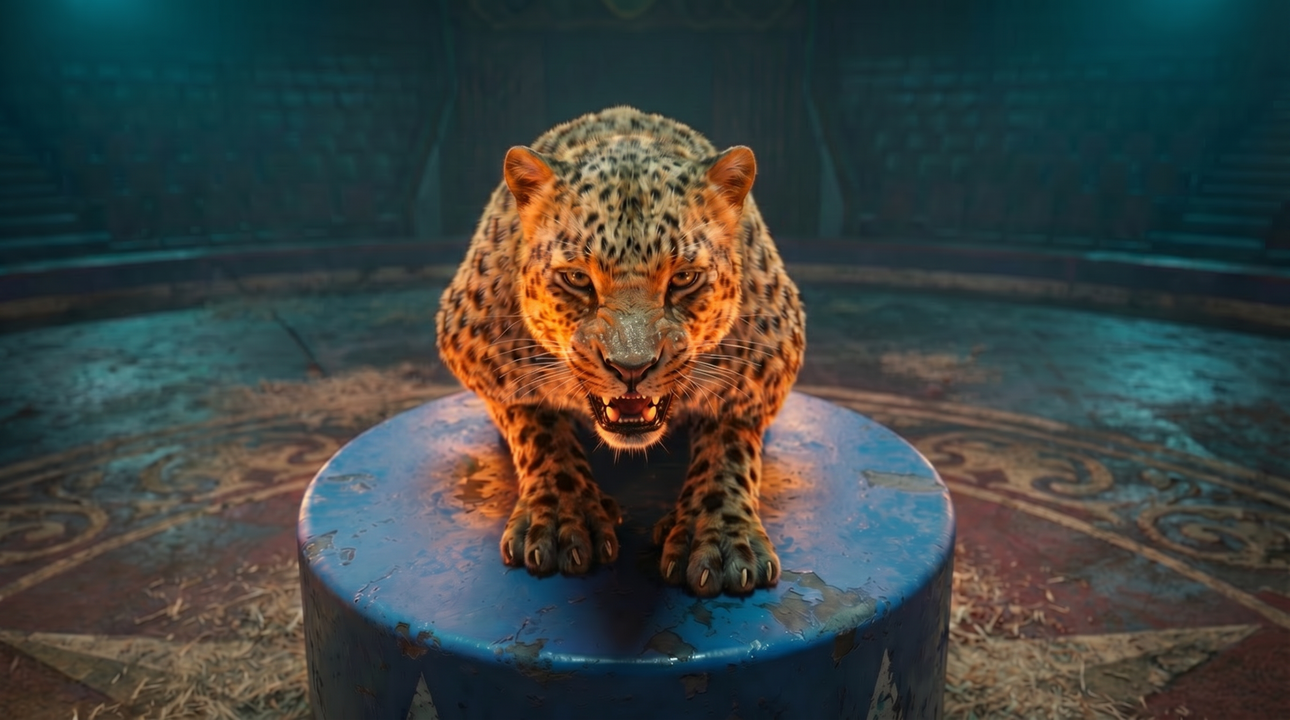 |
| AI Output |
|
