Using 3D Assets — Posed People
With an AI Service subscription, AI Studio provides a wide selection of pre-posed static actors that can be applied directly.
You can efficiently populate scenes with crowds featuring diverse genders, clothing styles, age groups, and poses.
Accessing Content
Open the Smart Search panel and select the AI Studio tab.
Posed People content can be accessed under  Props > Posed Actors Library, with tabs to switch between Item View and Pack View.
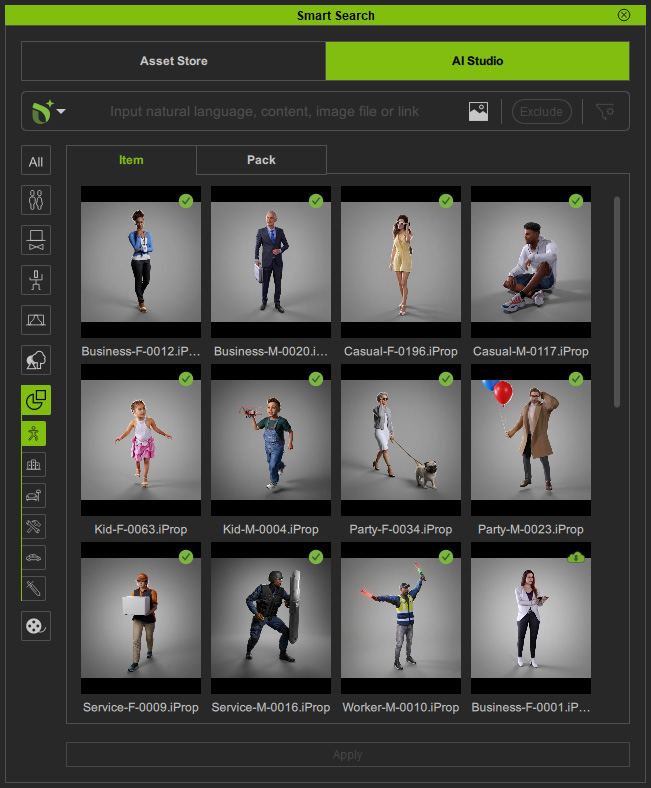 | 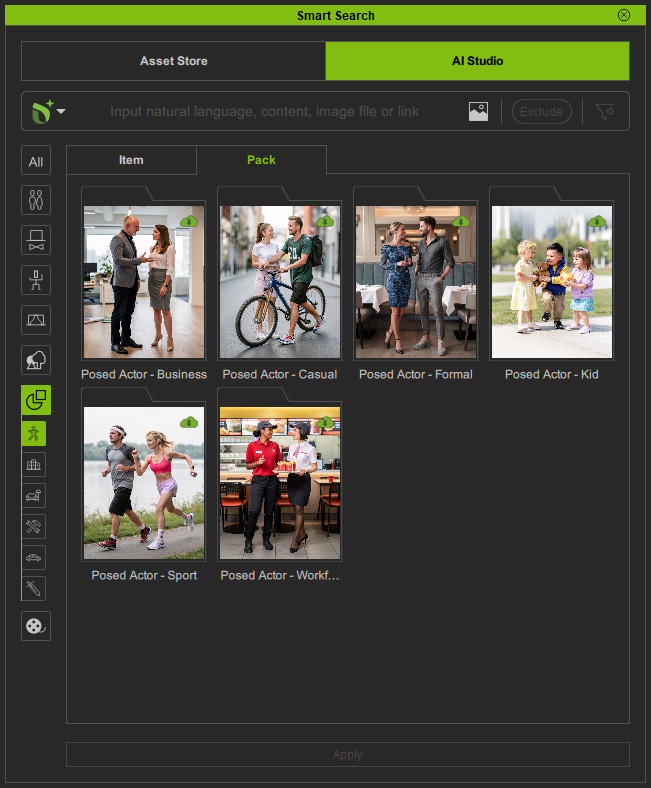 |
| Item View | Pack View |
 Free Samples
If you are not subscribed to an AI service, free posed actors are also available in the Samples content pack.
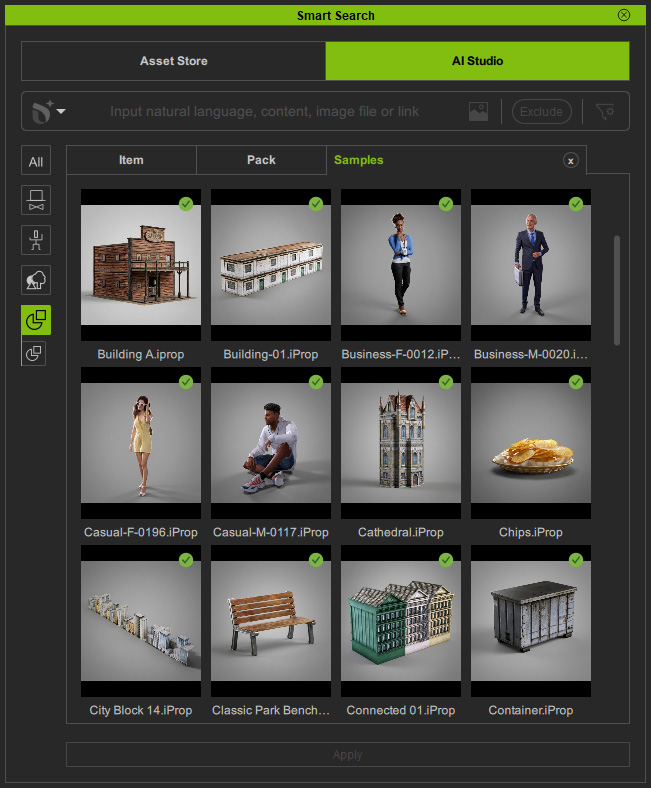
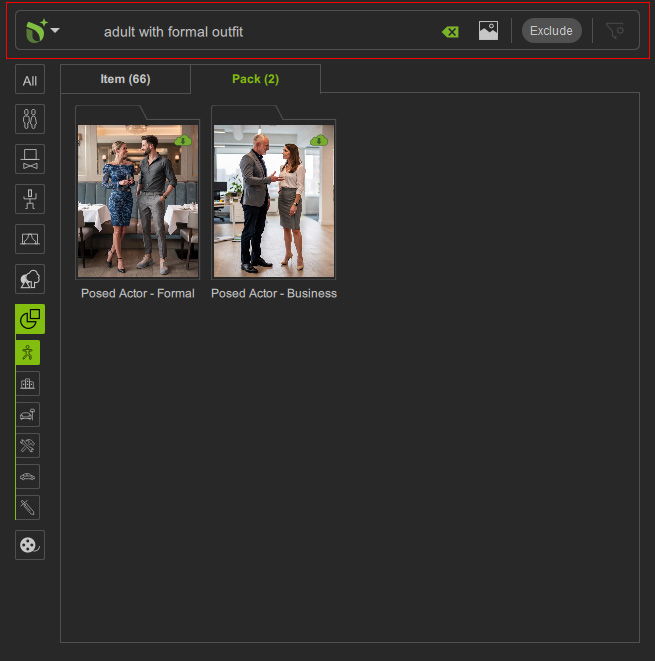
Searching Content
Use Deep Search or Keyword Search to find the desired posed characters.
Downloading Content
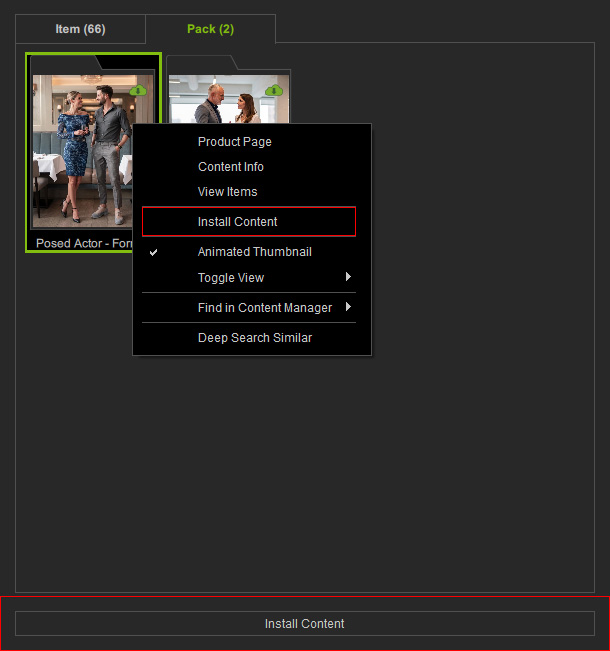
Packs or items available for download are marked with a Cloud  icon in the top-right corner.
Double-click the content, right-click and choose Install Content, or click the Install Content button at the bottom to download and install it.
icon in the top-right corner.
Double-click the content, right-click and choose Install Content, or click the Install Content button at the bottom to download and install it.
Applying Content
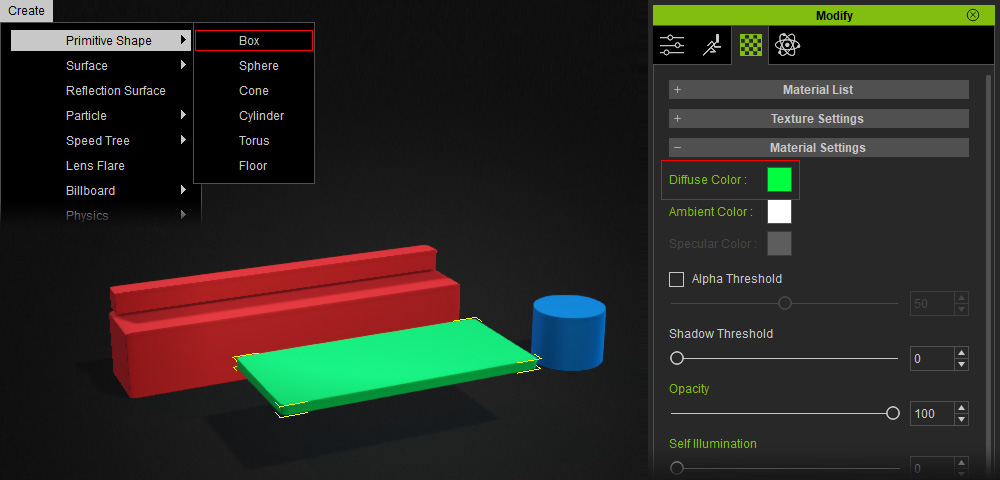
Before applying content to the scene, you can create primitive shapes to previsualize background props and adjust their diffuse colors for clearer identification when prompting in AI Studio.
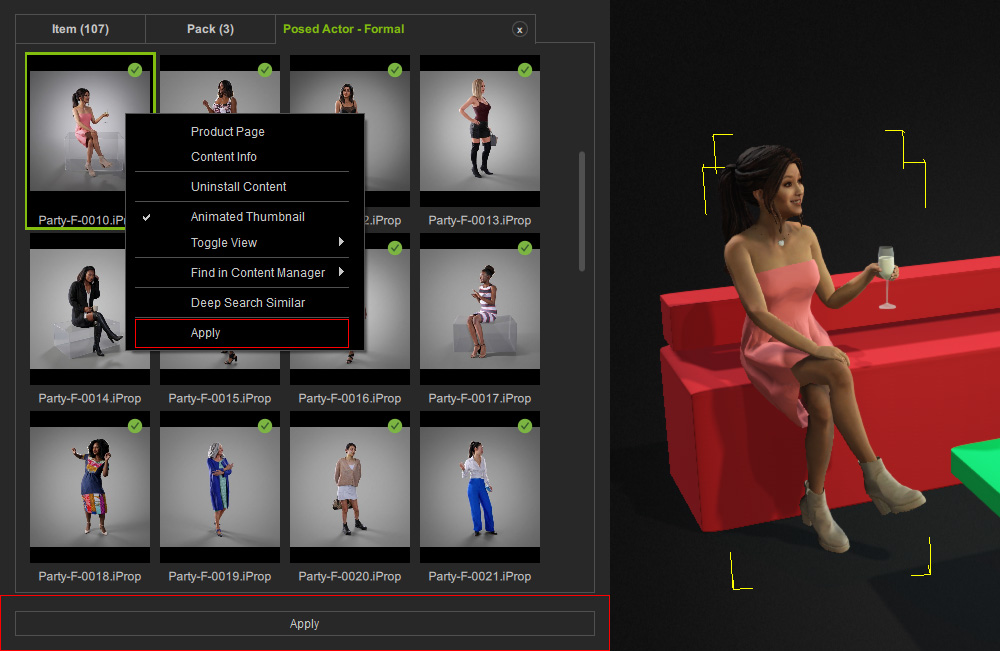
Installed packs or items are marked with a Checkmark  icon in the top-right corner.
Double-click installed Pack Content to open it in a separate tab.
Apply content by double-clicking, right-clicking and selecting Apply, clicking the Apply button at the bottom, or dragging it directly to the target position in the viewport.
icon in the top-right corner.
Double-click installed Pack Content to open it in a separate tab.
Apply content by double-clicking, right-clicking and selecting Apply, clicking the Apply button at the bottom, or dragging it directly to the target position in the viewport.
Transforming Content
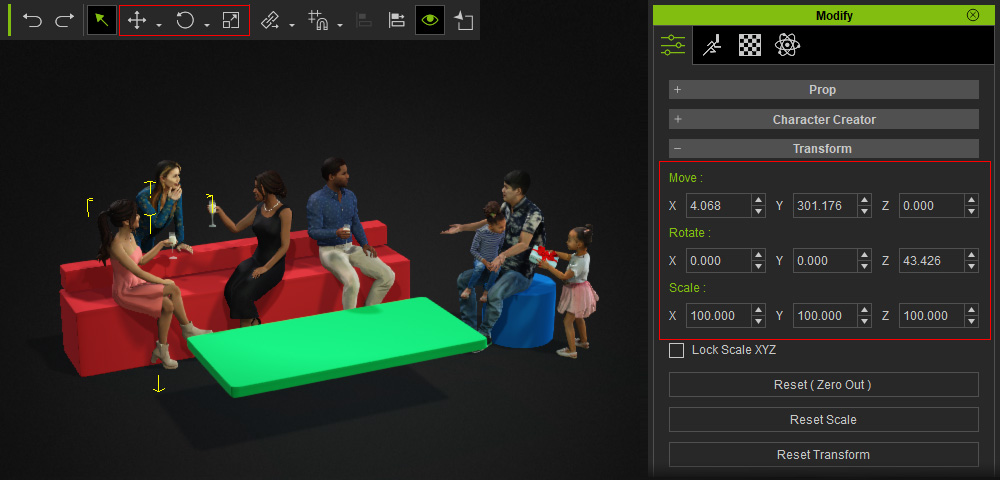
Use the Transform Tools to reposition posed actors to the desired locations.
Sending to AI Studio
After positioning the posed actors, click Capture Image from 3D Viewport in the AI Studio Tools toolbar to capture the current viewport and send it to the 3D to Image tool in AI Studio.

3D Guided Gen
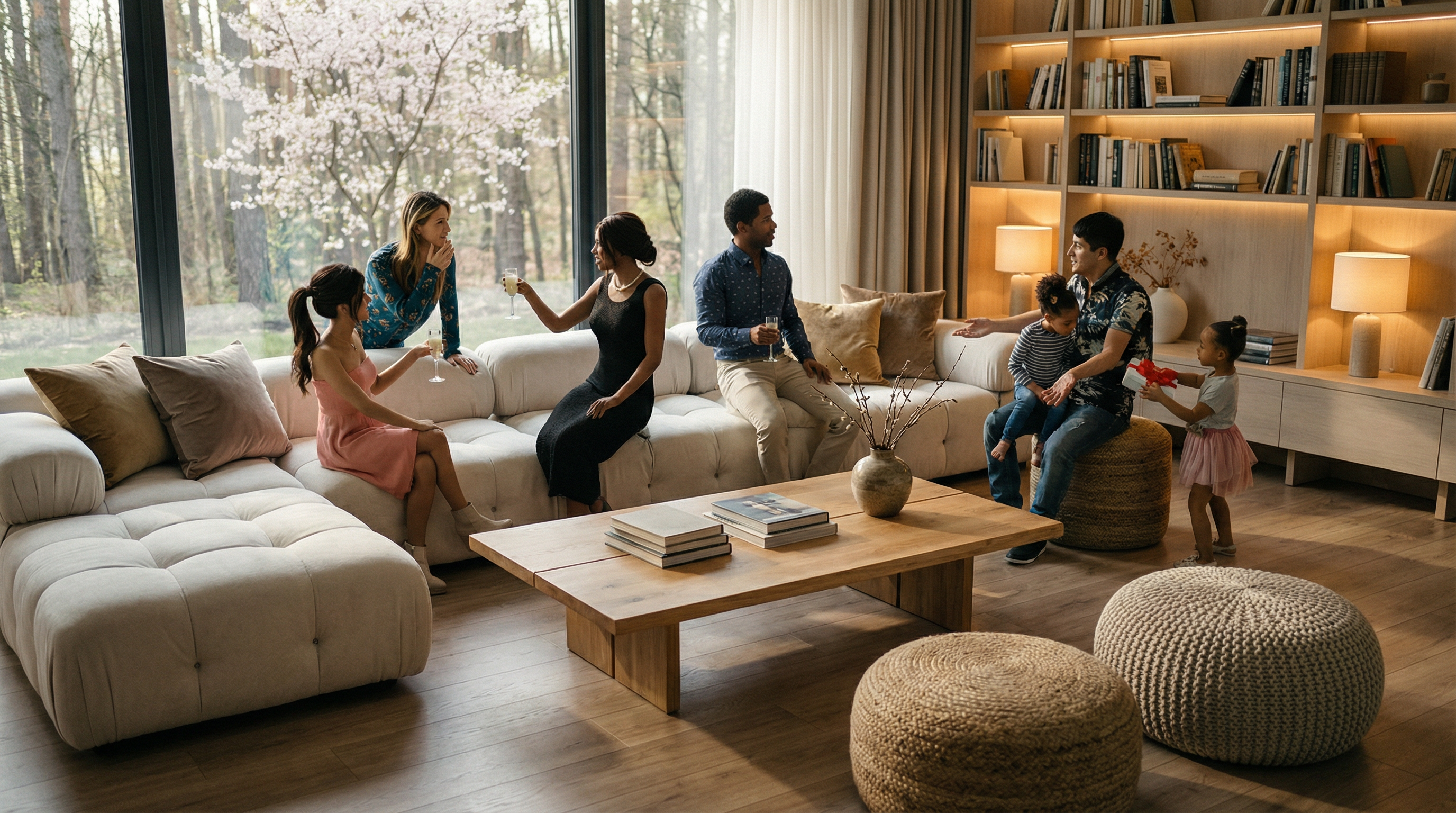
Complete the 3D to Image workflow to generate images in the desired render style.
In the Prompt field, enter detailed style descriptions for the red, green, and blue dummies shown in the 3D viewport.
| Prompt | AI Output |
Completely maintain the camera angle, composition, and the proportions and appearances of the characters from Reference Image.
Shot on Sony A7R IV, 50mm f/1.4 lens. A highly detailed documentary film still with natural film grain and high dynamic range.
Completely maintain the camera angle, composition, and the proportions and appearances of the characters from Reference Image.
modern minimalist living room interior
Transform the red dummy into plush off-white sectional sofa (maintaining the exact position and size shown in the Reference Image) with tufted cushions and velvet accent pillows in warm taupe and gold, with plush cushions,
Transform the green dummy into wooden coffee table (maintaining the exact position and size shown in the Reference Image) with books and decorative vase,
Transform the blue dummy into woven jute pouf and knitted oatmeal ottoman adding tactile contrast (maintaining the exact position and size shown in the Reference Image),
large floor-to-ceiling windows revealing forest view, blooming tree visible through glass, and table lamps, wooden flooring with natural grain texture, bookshelf wall in background with warm backlighting, soft diffused sunlight casting gentle shadows, serene and tranquil mood, earthy tones with beige, warm wood, soft white, muted green, high-resolution.
photorealistic, ultra realistic, natural light, film still, shallow depth of field, film grain, motion blur, handheld camera, documentary style, 8k resolution, photorealistic rendering, cinematic lighting, depth of field, global illumination
Negative prompt: CGI, 3D render, fake motion, visible creature, plastic skin, smooth textures, repeating patterns, tiled ground, procedural textures, game graphics, unrealistic physics. | 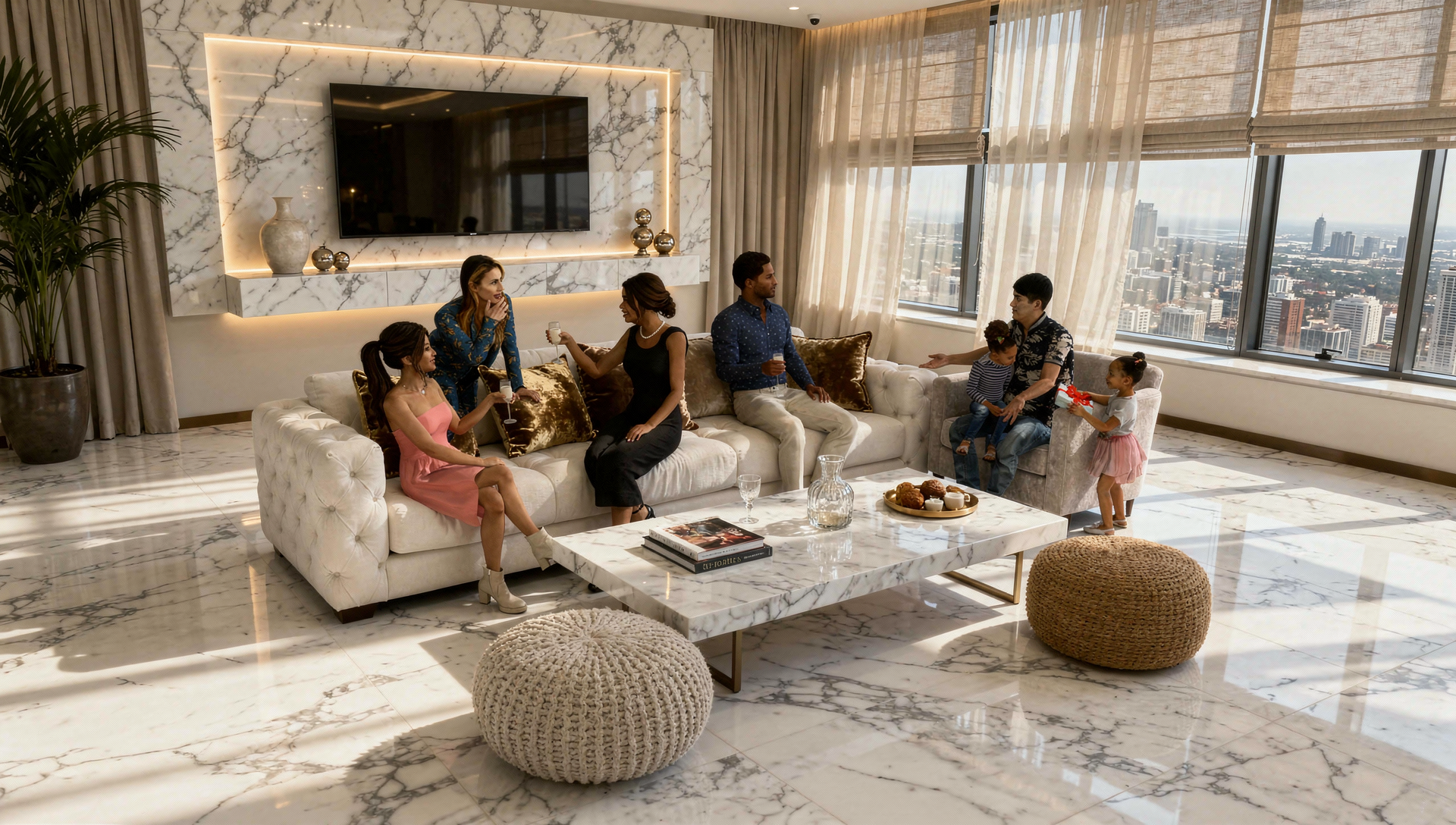 |
 |
Video Gen
Use the image generated by 3D to Image as the Start Frame reference, then proceed to the Video Gen workflow to generate a video.
| Prompt | Start Frame |
Completely maintain the camera angle, composition, and the proportions and appearances of the characters from Reference Image.
[Global Motion Mandate - Subtle]
ACTIVATE ALL SUBJECTS SIMULTANEOUSLY. Ensure continuous, subtle, and natural micro-movements for every person. Zero frozen subjects. All characters must show independent life through small shifts in posture and breathing.
[Composition & POV]
Candid handheld POV shot, GoPro style, chest-height. Slow, natural drift-pan from left to right. Wide-angle lens.
[Subject Action & Interaction]
Left Group: Three women on the cream sofa are in relaxed conversation. They nod subtly and shift their weight naturally while listening. No toasts.
Center (Blue Shirt Man): The man in the blue shirt is actively engaged; he slowly rotates his glass, shifts his seating posture slightly, and turns his head gently to look from the women on the left toward the family on the right.
Right Group: The father gently adjusts the toddler on his lap. The young girl in the pink tutu slowly reaches out to touch the gift, showing soft, fluid arm movements.
Interaction: All characters maintain a natural "gaze network," reacting to each other with subtle facial expressions and head tilts.
[Environment & Details]
Modern living room. Large window on left shows a very subtly swaying cherry tree. Right wall wooden bookshelf with warm LED glow. Soft, slowly shifting dappled shadows on the floor and furniture.
[Technical Style]
Minimally perceptible camera drift, 8k resolution, photorealistic, raw documentary style. Continuous pixel-level updates to prevent any local freezing, especially for the subjects in the center.
[camera: Dolly in] | |
| AI Output |
 |
