Launching AI Studio (v1.1)
Launch the AI Studio standalone application (EXE) from its installation directory.
The Start page displays featured templates created with Image Tools, Video Tools, or Custom Tools.
Select a template to load its references, prompt, and render settings, then customize them to create your own result.
See also: Tutorial - Getting Started with iClone AI Studio
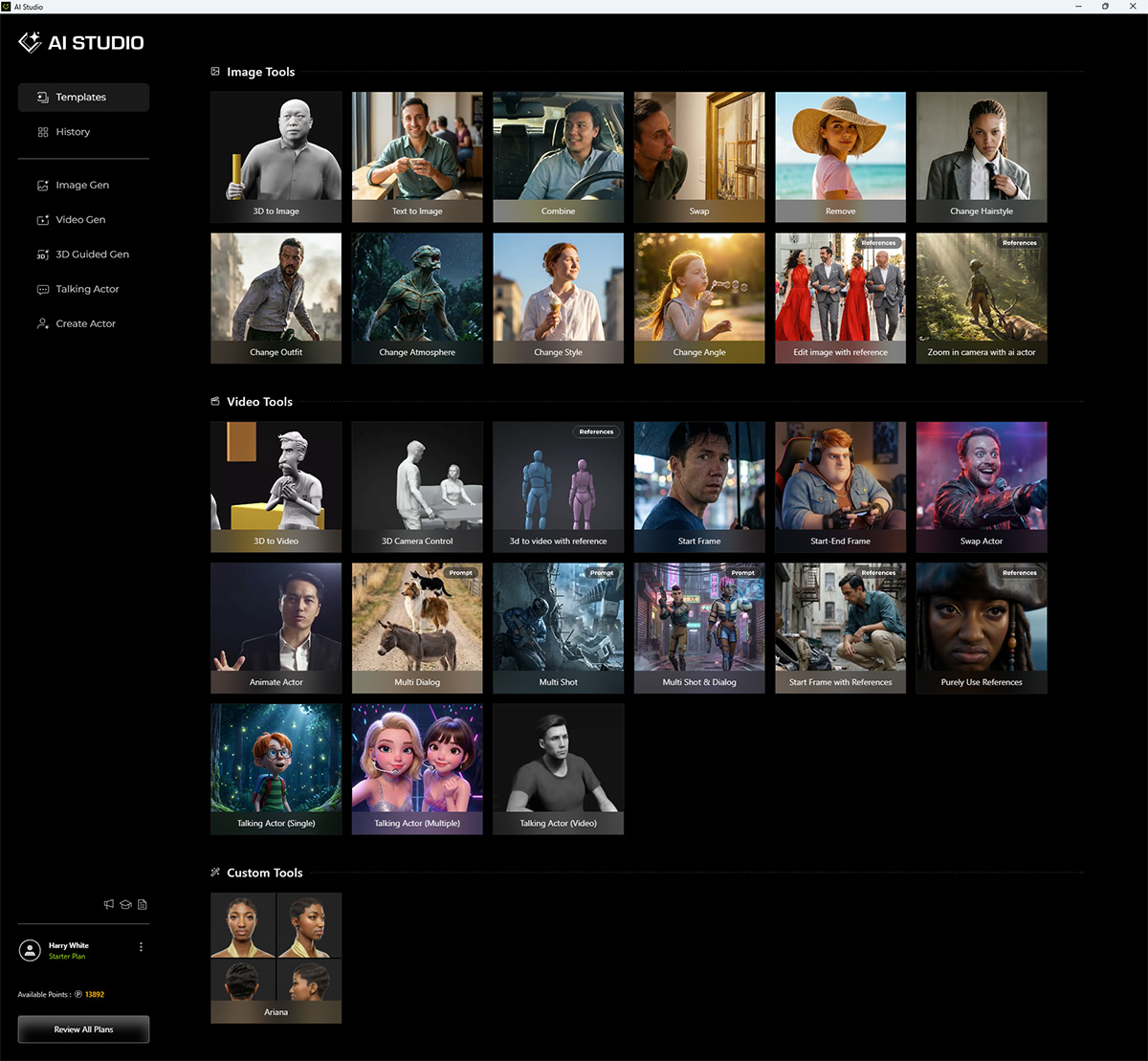
| Templates | Description |
|
Image Tools |
Generates images of characters, scenes, or landscapes using a text prompt. Consistent characters can be produced through AI Actor content. |
|
Video Tools |
Uses the first-frame image and a text prompt to generate a continuous animated video. |
|
Custom Tools |
Creates custom AI Actors to maintain character consistency across image and video generation tools. |
For 3D Guided Content Creation, select the preferred launch program—iClone 8, Character Creator 5, or Character Creator 4—in Account Settings. Then, switch to the AI Studio workspace in the selected iClone or Character Creator program to continue the 3D workflow.
Launching from iClone or Character Creator
You can also access AI Studio features from iClone or Character Creator in the following ways:
- AI Studio Tools toolbar: Launch AI Studio, capture an image or video from the 3D viewport and send it to AI Studio, or send captured 3D actor angle views to AI Studio for AI Actor creation.

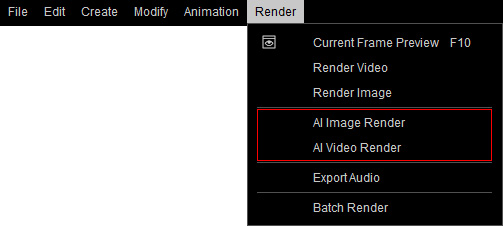
- Main Menu > Render (v1.1): Select AI Image Render or AI Video Render to open the Render panel.
In the AI Render tab, select the desired model and output size before sending the image or video to AI Studio for advanced AI rendering with the 3D to Image or 3D to Video workflow.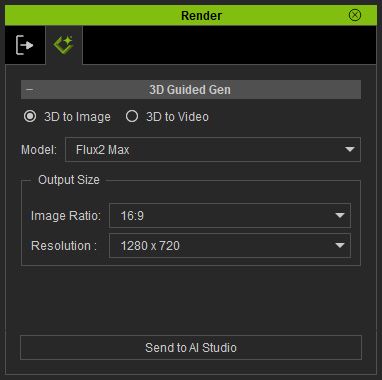
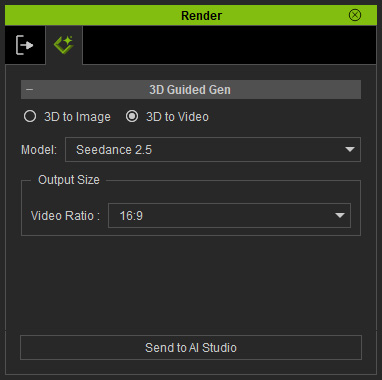
3D to Image 3D to Video
