User Interface for AI Pattern Generation
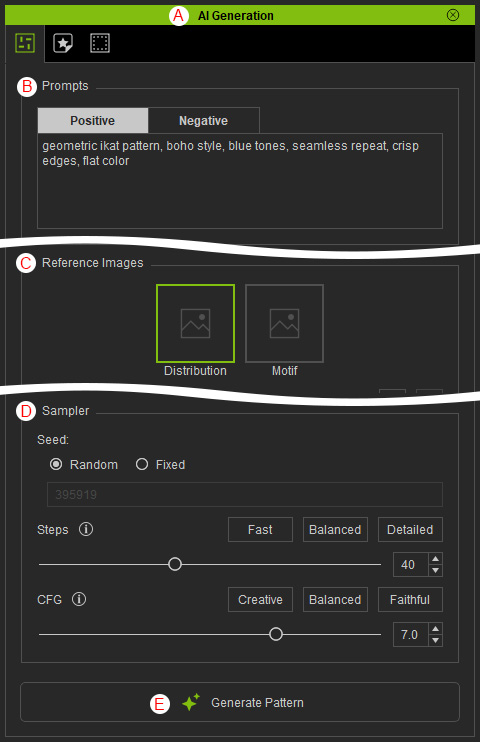
Select the Pattern tab in the AI Generation panel to access AI-based pattern generation features.
|
Function |
Description |
|
|
A |
Dock / Undock |
Double-clicking the panel caption docks the panel to the docking area or undocks it, allowing it to float above the main window. |
|
B |
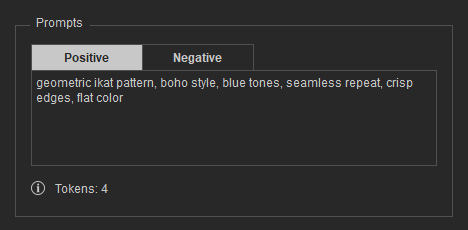
Here you can enter positive and negative prompts to generate images for a specific purpose.
|
|
|
C |
Reference Images |
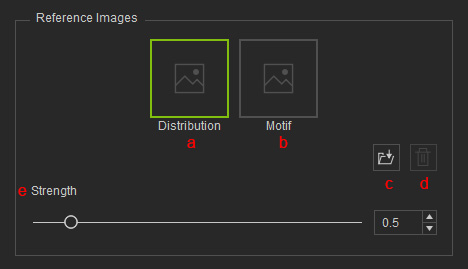
Loads reference images to guide AI-based texture creation.
|
|
D |
Sampler |
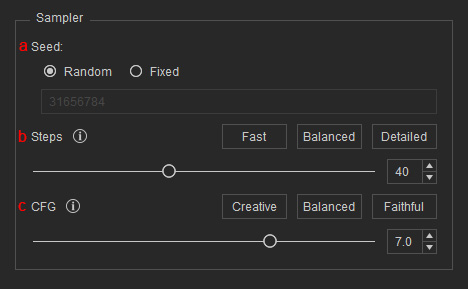
Controls AI-generated results based on the following values:
|
|
E |
Generate Pattern |
Click this button to generate a pattern based on the provided prompts, reference images, and sampler settings. |