Cloth Layer Settings
The Cloth Layer Settings panel is used to manually arrange clothing layers, set cloth tuck-in and pull-out options, define garment types, and automatically hide underlying clothing, among other settings.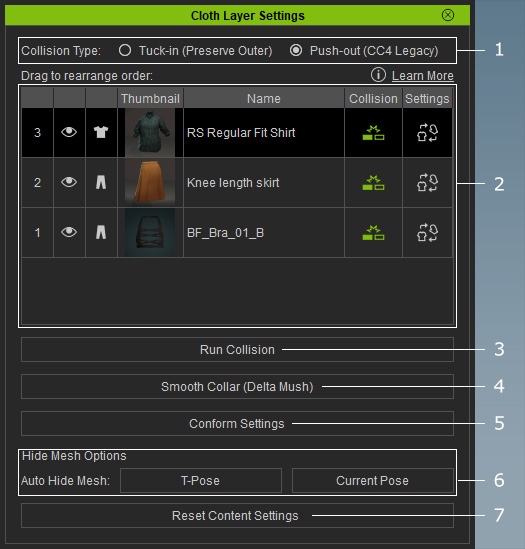
|
1 |
Collision Types |
|
|
2 |
Cloth Layer List |
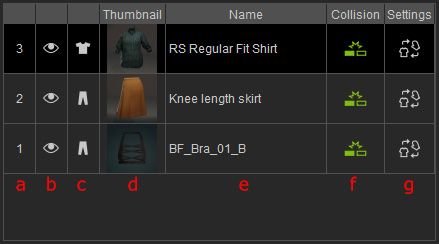
Garment list functions:
|
|
3 |
Run Collision |
Expands or shrinks garments and eliminate mesh penetration |
|
4 |
Smooth Collar (Delta Mush) |
Smooths and restores the collar after using Tuck In (auto collision) and Conform > Collision, helping correct deformation and penetration issues while maintaining a natural collar shape. |
|
5 |
Opens the Conform tool in the Modify panel, where you can adjust the Conform parameters before calculating collisions between clothing layers. Additionally, you can configure the Shrink Wrap Settings to define the Tuck-in inset behavior. |
|
|
6 |
Automatically hides body parts that penetrate the clothing based on the character's pose (T-pose or current pose). |
|
|
7 |
Reset Content Settings |
Restores all garment settings (except the garment shape) to their default values. |