Main Menu - Modify
The Modify menu on the main menu bar contains object-related
commands.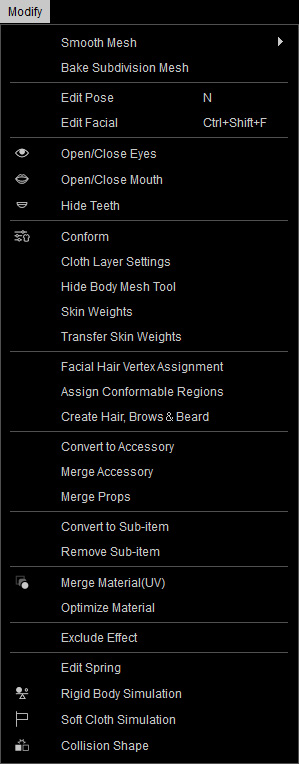
|
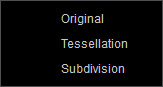
Smooth Mesh |
Enables
tessellation for the character, hair, cloth and/or accessories , and Subdivision feature to increase the polygon
count in real-time rendering for smoothing the geometry.
|
|
Bake Subdivision Mesh |
Bakes the real-time subdivision result to the meshes of the props, giving higher polycount for smoother surfaces. |
|
Edit Pose |
Show / hide the Edit Motion Layer panel in order to assign a certain pose to the character. |
|
Show / hide the Edit Facial panel to assign a facial expression to the character. |
|
|
Open Eyes |
Opens or shuts the character's eyes. |
|
Open Mouth |
Opens the mouth of your character for viewing the teeth. |
|
Hide Teeth |
Hides the teeth in order to view the tongue. |
|
Shows a panel with adjustable parameters for conforming the cloth or hair to the character.
|
|
|
This command opens the Cloth Layer Settings panel to customize the layer order of the clothes. |
|
|
Accesses the Hide Body Mesh feature. |
|
|
For manually setting the skin weights for the selected clothes. |
|
|
Automatically assign skin weights for the selected clothes with templates. |
|
|
When the smart hair mesh spans across different areas or the partial mesh drifts away from the skin, you can transfer skin weights from certain regions to the vertices of the hair meshes |
|
|
Unlike the eyebrows and beards, the hair on the head are not given skin weights when they are applied. Therefore, when the character performs facial expressions, the hairline around the forehead does not move along with the facial muscles, which can lead to mesh penetration. |
|
|
Allows for the creation of custom hair, brows or beard. |
|
|
Convert to Accessory |
For converting hair, clothes, shoes, gloves into accessories for resetting the transformation or pivots position. |
|
Merge Accessory |
Merges accessories composed of multiple elements or merges the accessories applied on the character. |
|
Merges props composed of multiple elements or merges the currently selected props. |
|
|
Converts the elements of a prop or accessory to sub-items. |
|
|
Remove Sub-item |
Deletes the sub-items of a prop or accessory. |
|
Merge Material (UV) |
Merges all the materials when you export a FBX file. |
|
Optimize Material |
Decreases the total texture numbers by automatically sharing identical materials and textures. |
|
Exclude Effect |
Hides visual effects in the viewport by object or by special effect. |
|
Toggles the Edit Spring mode for setting the spring effects on chosen bones. |
|
|
Turns on/off the entire rigid-body simulation. |
|
|
Turns on/off the entire soft-cloth simulation. |
|
|
Sets up the collision shapes on a target character. |